Visualize Your Data Instantly with DataOlllo AI Chat
Visualizing data shouldn’t require coding, complex tools, or cloud uploads. With DataOlllo’s AI chat, you can transform raw CSVs into insightful charts just by asking — all offline and private.
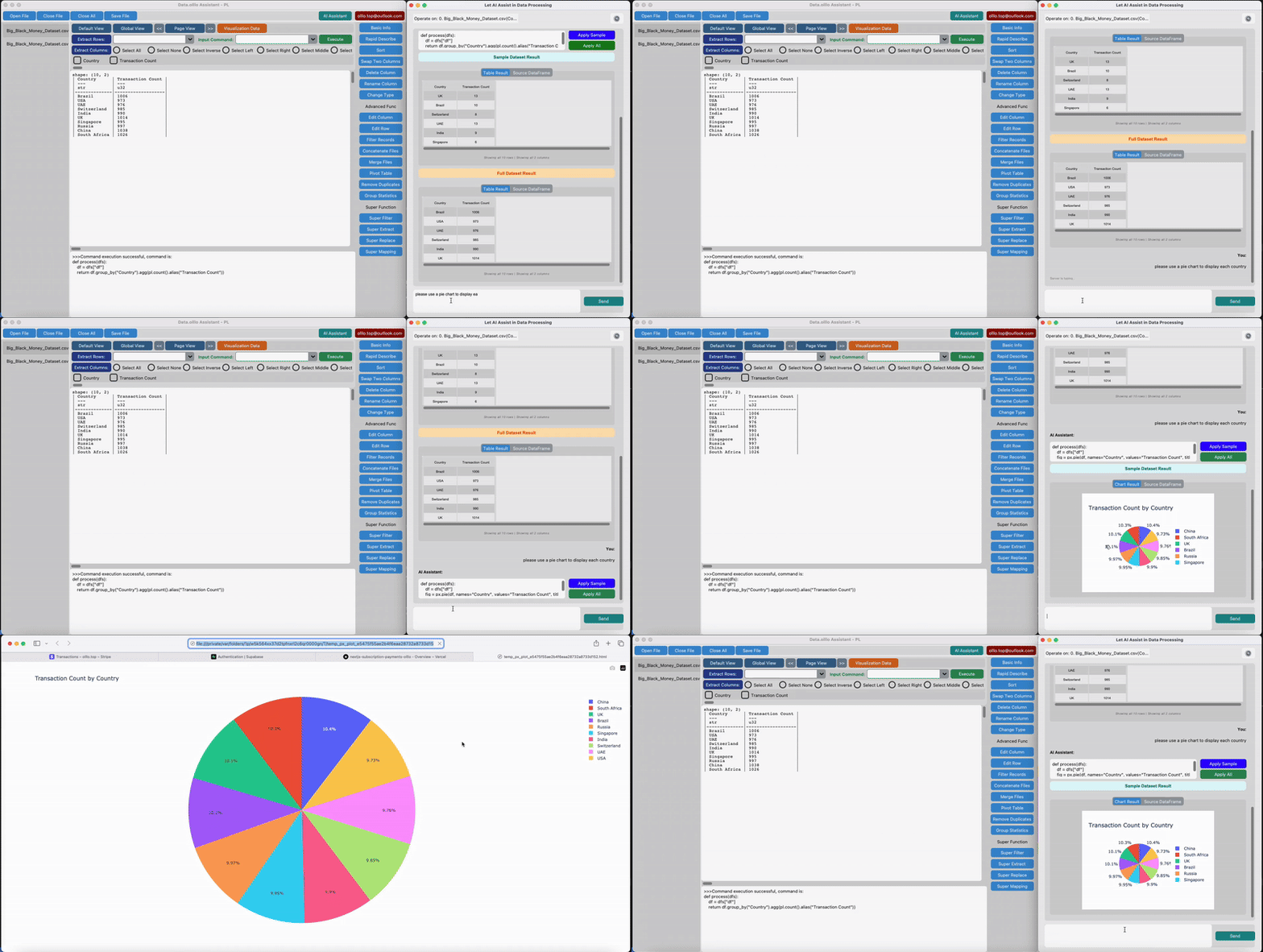
Example Prompts to Visualize Your Data
- “Create a bar chart of total sales by product category.”
- “Show a line graph of monthly revenue trends over the last year.”
- “Plot a scatter plot comparing advertising spend vs sales.”
- “Visualize the distribution of customer ages as a histogram.”
Sample AI-Generated Code Snippet
def process(dfs):
    df = dfs["df"]
    fig = px.pie(df, names="Country", values="Transaction Count", title="Transaction Count by Country")
    return fig
How It Works
1. Load your CSV file into DataOlllo. 2. In the AI chat window, type a natural language prompt describing the chart you want. 3. The AI generates ready-to-run Python code using libraries like pandas and plotly. 4. Preview the chart instantly with your data. 5. Run on the full dataset to explore deep insights.
Why Choose DataOlllo for AI Visualization?
- 100% local processing: your data stays on your machine, private and secure.
- No coding needed: AI writes visualization code for you in plain English.
- Works with large datasets that overwhelm traditional spreadsheets or pandas.
- Supports multiple AI models like ChatGPT, Gemini, or local LLMs.