Why Traditional Spreadsheets Users Love DataOlllo
5/15/2025
If you’re used to traditional spreadsheets, you know how intuitive it is for organizing and analyzing data.
But when your files grow beyond 1 million rows—or just take forever to open—traditional spreadsheets start to struggle.
That’s where DataOlllo comes in.
It’s built for users like you who want the simplicity of traditional spreadsheets but need the power to open 1GB, 10GB, 50GB, even 100GB+ files—without crashing or freezing.
✅ Familiar Tasks, Supercharged
You’ll still sort, filter, and explore just like in traditional spreadsheets—but now, it’s instant and unlimited.
Here’s a look at how the experience compares:
| Task | In Traditional Spreadsheets | In DataOlllo |
|---|---|---|
| Open 5GB CSV | ❌ Often crashes or freezes | ✅ Opens instantly (via HDF5 engine) |
| Sort by columns | ✅ Works well (until slowdowns) | ✅ One-click, any size |
| Filter by values | ✅ But sluggish on large files | ✅ Instant filter, visual preview |
| Load 50M+ rows | ❌ Not possible | ✅ Fully supported |
| Visualize columns quickly | ❌ Manual via charts | ✅ Built-in graphs, no setup |
| Save in compact format | ❌ XLSX gets huge | ✅ HDF5 auto-conversion |
👩💻 Scenario: Opening a Large CSV
Imagine you try to open a 25GB sales log in traditional spreadsheets.
- Traditional spreadsheets takes forever or freezes.
- You try to split the file… or give up entirely.
With DataOlllo:
- You just open the file.
- It automatically converts to a lightweight
.hdf5file in the background. - You see the full dataset instantly—from top to bottom.
No formulas. No VBA. No memory errors.
🔍 Scenario: Filtering by Region or Date
Let’s say you want to:
- See only sales from the Northeast
- Or filter data from last 6 months
In traditional spreadsheets, this could mean:
- Laggy filters
- Slow scrolling
- Manual date slicing
In DataOlllo, just:
- Select the column
- Click Filter
- Pick your values or date range
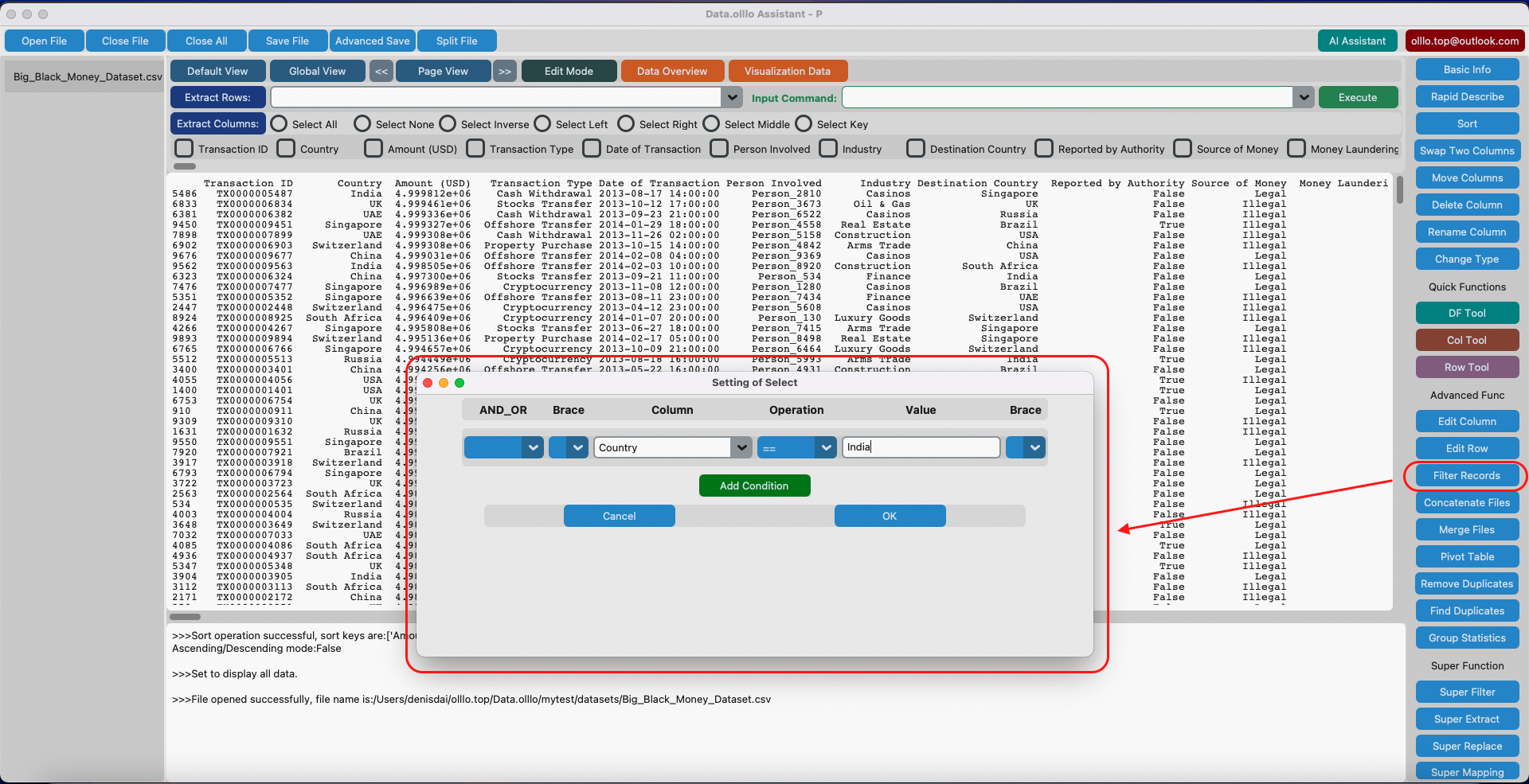
It’s just like traditional spreadsheets, designed for big data.
🔄 Works With Traditional sSreadsheets Too
DataOlllo doesn’t replace traditional spreadsheets. It complements it.
- Use DataOlllo to open, explore, and filter large files.
- Then export slices to traditional spreadsheets for reporting, formulas, or formatting.
✨ Summary: Traditional Spreadsheets Simplicity Meets Data Scale
| You Want To… | Use Traditional Spreadsheets? | Use DataOlllo? | Best Approach |
|---|---|---|---|
| Open small, formatted reports | ✅ Yes | ✅ Yes | Traditional Spreadsheets or DataOlllo |
| Explore 100 million rows | ❌ No | ✅ Yes | DataOlllo (with visual filters) |
| Build dashboards or charts | ✅ Yes | ✅ (basic) | Use both |
| Analyze log/sensor/time-series | ❌ No | ✅ Yes | DataOlllo is optimized for it |
🧪 Try It Yourself
If you’ve hit traditional spreadsheets limits with large files—try DataOlllo.
- ✅ No code
- ✅ No formulas
- ✅ No file splitting
Just open your data and go.
Download DataOlllo