Analyze Return Reason CSV Exports Across Storefronts Before the Weekly E-commerce Operations Review
6/19/2026
Analyze Return Reason CSV Exports Across Storefronts Before the Weekly E-commerce Operations Review
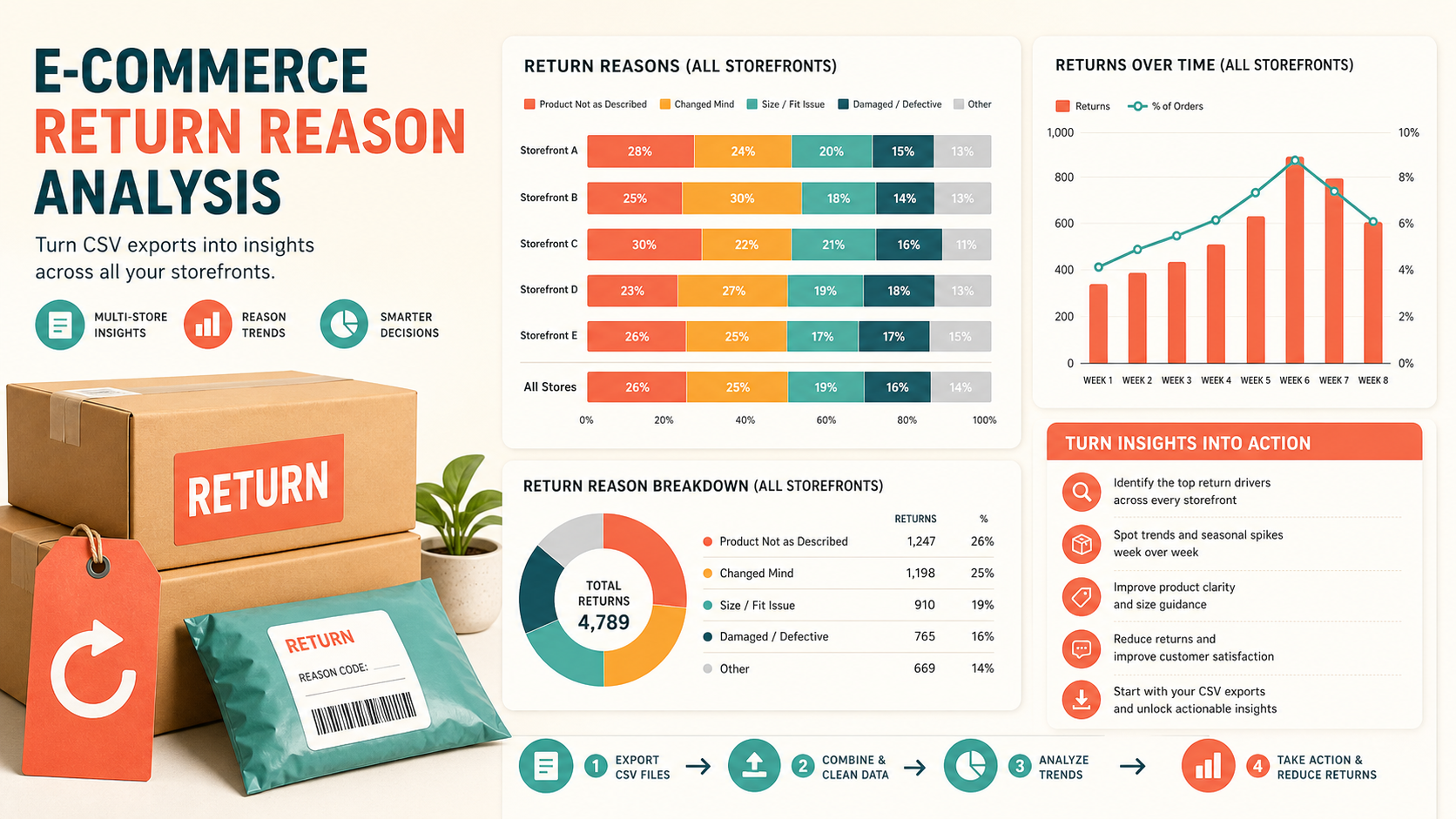
Returns create work in several places at once. Store operations wants to know which products are driving returns, customer experience wants to see whether the issue is fit, damage, or shipping delay, and finance wants a cleaner forecast of refund pressure. The problem is that each storefront export tends to label return reasons differently.
DataOlllo gives e-commerce teams a local way to combine those CSV exports, normalize the return reasons, and prepare a weekly review file that focuses on action instead of spreadsheet cleanup.
Why Return Reason Reviews Break Down
| Source | Typical issue | Result |
|---|---|---|
| Storefront A export | Uses short codes like DAM or FIT | Reason labels are not readable in review |
| Storefront B export | Uses full text and custom notes | Same issue appears under multiple names |
| Warehouse inspection export | Damage findings arrive later than the refund file | Root cause is hard to confirm |
| Carrier exception export | Delay-related returns sit outside the core return file | Team misses a logistics pattern |
Without a standard reason map, the weekly review turns into a labeling argument instead of an operations conversation.
A Weekly Consolidation Workflow
- Export return, refund, and inspection CSV files from each storefront or channel.
- Standardize shared fields such as
order_id,sku,storefront,return_reason,refund_amount,inspection_outcome, andreturn_date. - Map detailed reason labels into one approved reason set.
- Group by storefront, SKU family, and normalized reason.
- Separate operational reasons like damage and late delivery from customer preference reasons like fit or style.
- Export one review table and one exception table for unclear labels.
This makes the weekly operations review much easier to run because everyone is reacting to the same categories.
Example Weekly Review Table
| Storefront | Top reason | Return rows | Refund amount | Action owner |
|---|---|---|---|---|
| Main site | Size or fit | 214 | $18,420 | Merchandising |
| Marketplace East | Damaged in transit | 76 | $6,980 | Logistics |
| Outlet store | Wrong item shipped | 41 | $2,650 | Fulfillment |
| Wholesale portal | Late delivery | 29 | $1,940 | Carrier manager |
Reason Map Example
| Raw label | Normalized reason |
|---|---|
DAM, damaged, box crushed | Damaged in transit |
fit, too small, too large | Size or fit |
late, arrived after event | Late delivery |
wrong sku, wrong item | Wrong item shipped |
Text Chart
Weekly returns review

Size or fit issues       ██████████
Transit damage           ███████░░░
Wrong item shipped       █████░░░░░
Late delivery            ████░░░░░░
Unmapped labels          ███░░░░░░░
Checklist Before the Meeting
| Check | Why it matters |
|---|---|
| One reason dictionary applied across storefronts | Prevents fragmented totals |
| Refund amounts tied to the same time window | Keeps finance review aligned |
| Warehouse inspection linked where possible | Improves root-cause confidence |
| Unmapped labels isolated separately | Stops weak data from polluting the main report |
Common Mistakes
- Counting refund rows and return rows as if they always match one to one.
- Mixing customer preference reasons with operational failure reasons in the same action bucket.
- Reviewing each storefront separately even when the same SKU problem spans all channels.
- Letting free-text reason labels accumulate without a standard map.
When to Use This Workflow
This workflow is useful when e-commerce teams receive separate return exports from several channels and need a repeatable weekly view of what should change next: merchandising, fulfillment, packaging, or carrier performance.
Download DataOlllo
If return reason exports are still being merged manually before the weekly review, try the local workflow in DataOlllo: download DataOlllo.