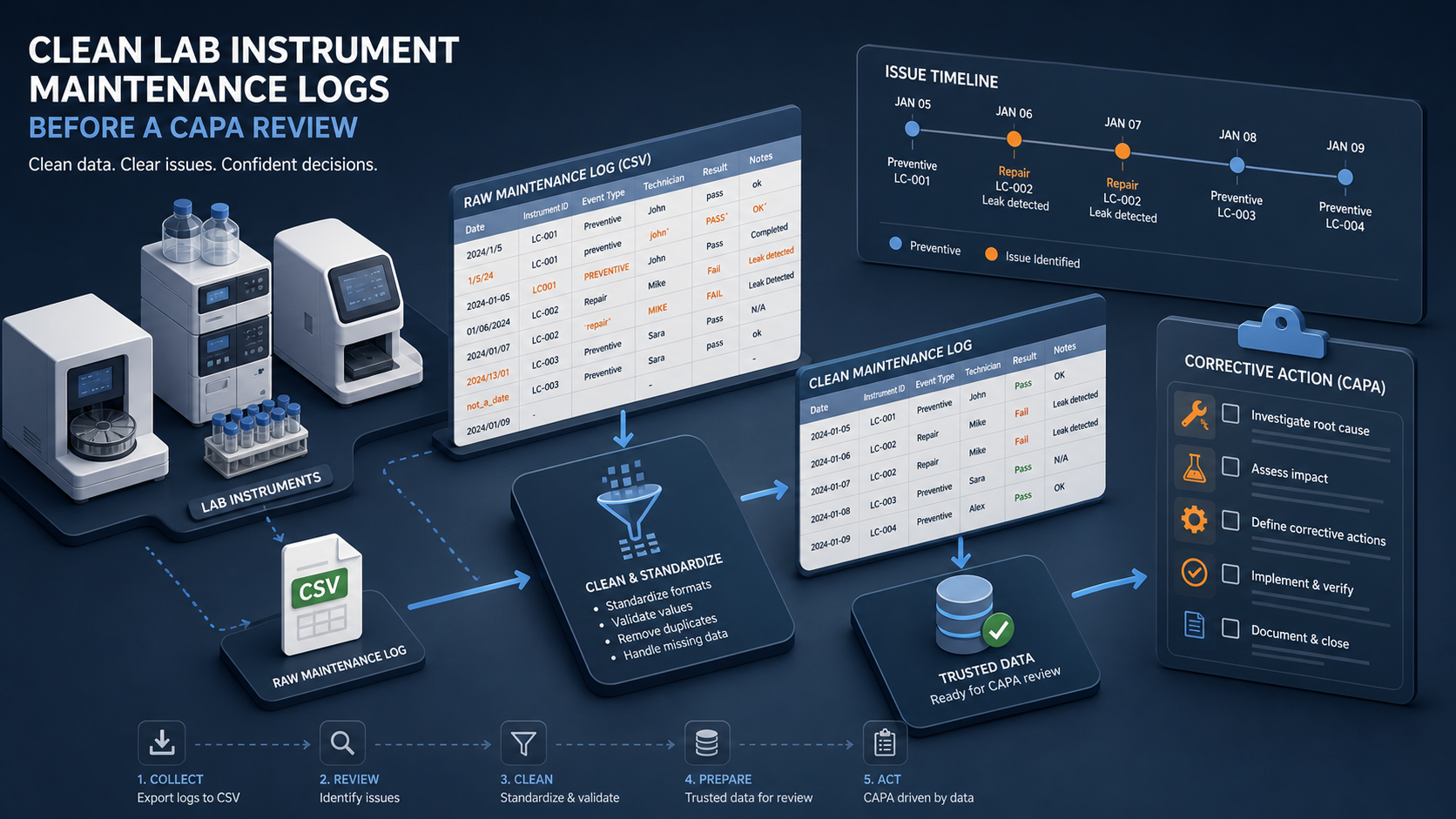
Clean Laboratory Instrument Maintenance Log CSV Files Before a CAPA Review
6/19/2026
Clean Laboratory Instrument Maintenance Log CSV Files Before a CAPA Review
Corrective and preventive action reviews depend on more than a single incident report. Teams usually need maintenance logs, service visits, calibration records, downtime notes, and recurring fault histories. When those exports arrive as separate CSV files, the review can lose time before it even reaches the actual quality question.
DataOlllo helps quality and lab operations teams clean those files locally, align the core maintenance fields, and create a more stable review package before the CAPA meeting.
What the Review Package Should Focus On
| Keep in the working file | Remove or isolate when not needed |
|---|---|
| Instrument ID | Long vendor email text |
| Site or lab area | Unused attachment references |
| Event date | Personal contact details |
| Maintenance type | System-only export metadata |
| Fault code or issue group | Large free-text narrative columns |
| Downtime duration | Duplicate audit trail markers |
The goal is not to throw away detail forever. It is to keep the core review file usable.
Typical Problems in Maintenance Log Exports
| File | Common issue | Review impact |
|---|---|---|
| Preventive maintenance log | Scheduled and completed visits mixed together | Review cannot tell what actually happened |
| Breakdown log | One issue appears under several similar fault names | Repeat failures are understated |
| Calibration export | Event dates use a different format | Timeline analysis becomes unreliable |
| Vendor service history | Instrument IDs do not match internal naming | Service context is lost |
If these are not cleaned first, the CAPA discussion becomes a file-format exercise instead of an investigation.
A Practical Cleanup Workflow
- Open the maintenance, calibration, and breakdown CSV files locally.
- Standardize fields such as
instrument_id,event_date,maintenance_type,fault_group,downtime_hours, andservice_provider. - Map duplicate instrument names and similar fault labels to one approved list.
- Separate preventive maintenance from unplanned breakdown events.
- Group recurring failures by instrument family, lab area, and month.
- Export one CAPA review file and one unresolved-mapping file.
This produces a review set that makes patterns easier to trust.
Example CAPA Review Table
| Instrument family | Unplanned events | Total downtime | Repeated fault group | Review note |
|---|---|---|---|---|
| HPLC System A | 6 | 19.5 hrs | Pump pressure drift | Escalate |
| Freezer Bank 2 | 3 | 7.0 hrs | Door seal alarm | Monitor |
| Spectrometer C | 4 | 11.0 hrs | Lamp instability | Vendor review |
| Incubator Line D | 2 | 3.5 hrs | Temperature variance | Ready |
Review Questions That Benefit from a Clean File
| Question | Useful grouping |
|---|---|
| Which instruments have recurring breakdowns? | Instrument family |
| Are failures clustered by lab area? | Site or area |
| Is downtime increasing after missed preventive work? | Maintenance type by month |
| Which issue groups deserve corrective action? | Fault group |
Text Chart
CAPA review priority

Recurring fault groups    ██████████
High downtime events      ████████░░
Instrument ID mismatches  █████░░░░░
Date format cleanup       ███░░░░░░░
Common Mistakes
- Mixing scheduled work and completed work in the same failure count.
- Letting one instrument appear under several names.
- Leaving date formats inconsistent across vendor and internal logs.
- Treating free-text notes as the primary analysis field before the core data is clean.
When to Use This Workflow
This workflow fits laboratories, quality teams, and regulated operations groups that need to review maintenance history without pushing sensitive operational files into outside tools.
Download DataOlllo
If maintenance log exports are slowing down your next CAPA review, try the local workflow in DataOlllo: download DataOlllo.