Clean Multi-Clinic Appointment No-Show CSV Exports Before a Regional Staffing Review
6/23/2026
Regional staffing reviews go wrong when appointment exports are inconsistent. One clinic may label a missed visit as No Show, another may use NS, and a third may roll late cancellations into the same bucket. When those exports are compared without cleanup, leadership ends up making staffing decisions from mixed definitions instead of real no-show behavior.
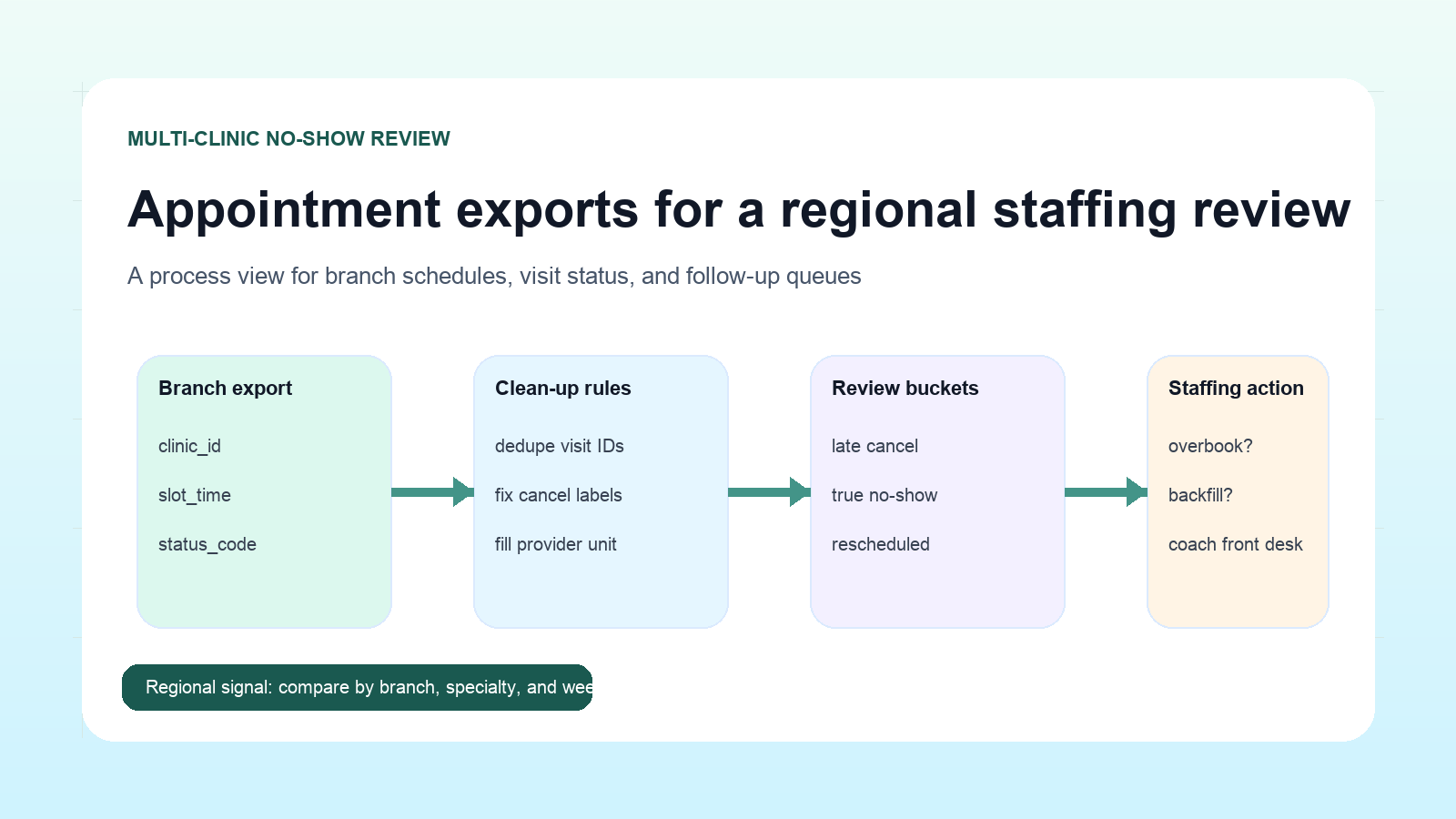
The fix is not a bigger workbook. It is a standard review sequence that turns branch-level scheduling exports into one comparable operating dataset.
Standardize the fields before you compare clinics
| Column group | Example fields | Why it matters |
|---|---|---|
| Branch identity | clinic_id, region, specialty | Needed for like-for-like comparisons |
| Appointment timing | appointment_date, slot_time, weekday | Helps separate peak-day effects from staffing gaps |
| Visit outcome | visit_status, cancel_reason, reschedule_flag | Prevents no-shows from being mixed with reschedules |
| Operational ownership | scheduler, provider_unit, front_desk_team | Makes follow-up actions assignable |
If those columns are named differently across branch exports, rename them into one shared structure before doing any counting.
Use a cleanup checklist every week
- Deduplicate appointment IDs when the same visit appears in both scheduling and reminder exports.
- Convert branch-specific labels into one common visit outcome set.
- Separate late cancellations from true no-shows.
- Fill blank provider or specialty values from branch reference tables.
- Remove test slots, blocked calendars, and internal training appointments.
A short checklist matters because staffing reviews are recurring work. If the cleanup logic changes every week, trend lines become untrustworthy.
Review patterns that actually influence staffing
Once the exports are standardized, compare by daypart, branch, and specialty instead of only by total no-show count. A branch with a moderate weekly no-show rate may still have a severe Monday-morning gap that disrupts provider utilization.
| Clinic | Specialty | Morning no-show rate | Afternoon no-show rate | Likely staffing implication |
|---|---|---|---|---|
| North | Primary care | 11% | 6% | Rework reminder timing for first-wave appointments |
| East | Imaging | 4% | 13% | Check late transport and confirmation process |
| South | Rehab | 15% | 14% | Review referral scheduling quality before adding staff |
| West | Pediatrics | 7% | 5% | Stable pattern, monitor only |
Common mistakes during review
Treating reschedules as misses
A rescheduled appointment may still represent operational friction, but it is not the same as a true no-show. Keep those categories separate so staffing plans are not based on inflated missed-visit counts.
Comparing clinics with different schedule templates
A same-day urgent clinic and a pre-booked specialty clinic should not be compared from one blended total. Normalize by clinic type or specialty when presenting the final review.
Ignoring volume context
A branch with three no-shows out of twenty visits has a different operating issue than one with ten no-shows out of two hundred visits. Always show counts and rates together.
What the final review should show
The best output for regional leadership is concise:
- Total scheduled visits
- True no-shows
- Late cancellations
- Reschedules
- Highest-risk branch and daypart
- Recommended staffing or reminder follow-up
That format keeps the meeting focused on action rather than on arguing about source-file differences.
Next step
If your team receives separate scheduling exports from multiple clinics each week, clean them into one local review set before staffing decisions are made. DataOlllo can help you standardize branch files, inspect exception rows, and compare patterns without pushing operational data into a scattered manual workflow. Download it here: https://www.dataolllo.com/download