Combine Cold-Chain Temperature CSV Logs Before a Weekly Distribution Exception Review
6/19/2026
Combine Cold-Chain Temperature CSV Logs Before a Weekly Distribution Exception Review
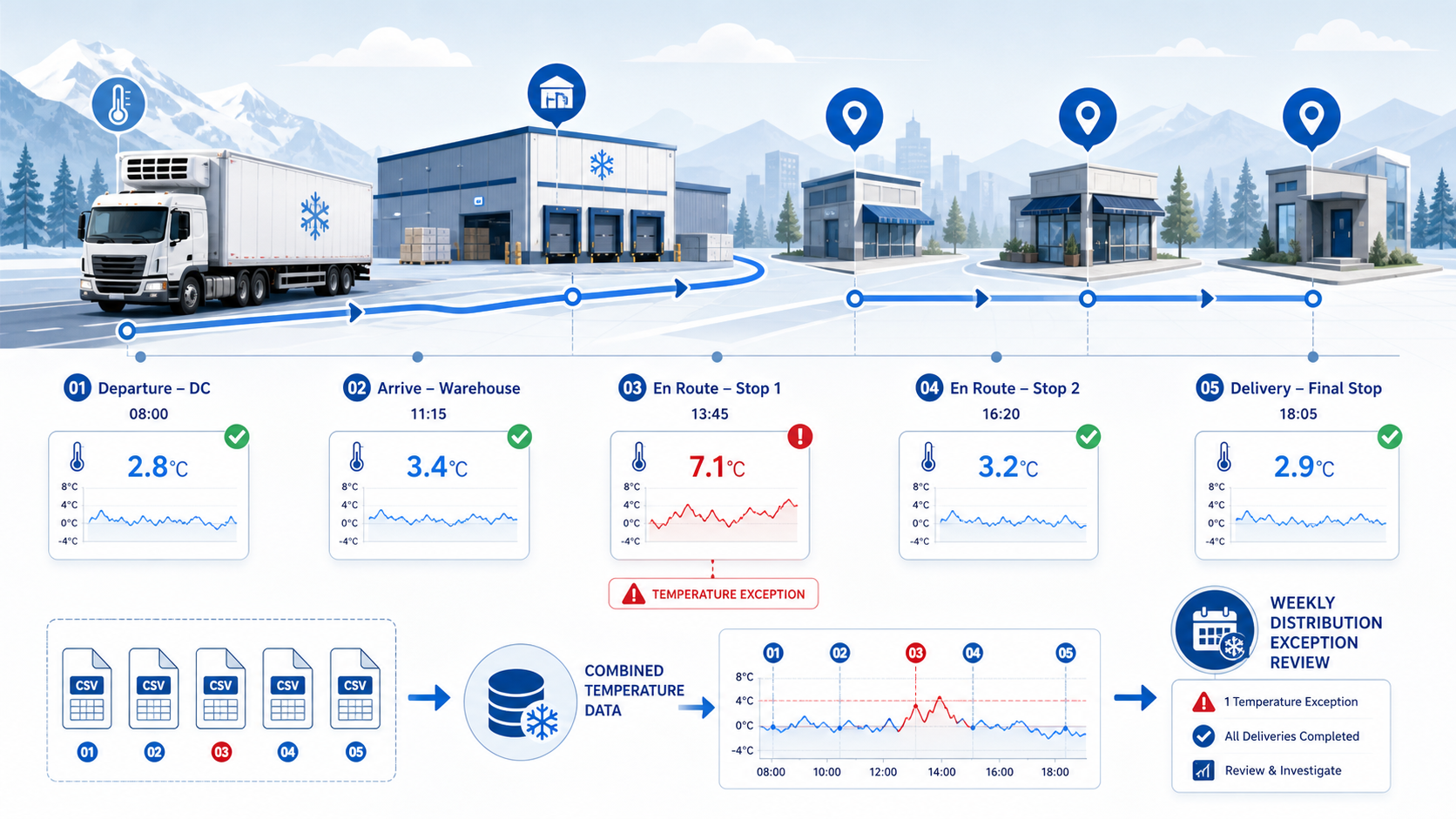
Cold-chain teams often receive temperature logs from more than one place: trailer devices, warehouse sensors, handheld scans, and partner delivery systems. Each export may be accurate on its own, yet the weekly exception review still feels incomplete because the records do not line up cleanly.
That is where a local CSV workflow helps. Before the weekly review meeting, combine the exported logs, align timestamps and route identifiers, and isolate the few temperature events that actually need investigation.
Why Weekly Exception Review Gets Messy
| Source file | Common mismatch | Review impact |
|---|---|---|
| Trailer sensor export | Timestamps are stored in UTC | Events look out of sequence |
| Warehouse dock log | Shipment IDs use an internal naming format | Join failures hide part of the route |
| Final stop scan | Temperatures are missing on clean deliveries | Reviewers chase blank rows |
| Partner carrier file | Route names differ from internal route IDs | One trip appears as two trips |
When teams leave these issues unresolved, exception review turns into a file audit instead of an operations decision.
A Clean Weekly Intake Workflow
- Gather all CSV logs for the review window into one folder.
- Normalize shipment ID, route ID, stop ID, and timestamp format.
- Convert every temperature value into one scale for the report package.
- Sort the records by shipment and time so investigators can see the sequence.
- Filter for readings outside the approved band and for missing checkpoint gaps.
- Export one combined exception file and one complete route log archive.
This sequence gives the team two useful views: a narrow list for action and a full log for documentation.
Example Exception Review Table
| route_id | stop_id | reading_time | temperature_c | expected_band_c | review_flag |
|---|---|---|---|---|---|
| RT-102 | DC | 08:00 | 2.8 | 2 to 8 | Normal |
| RT-102 | WH-1 | 11:15 | 3.4 | 2 to 8 | Normal |
| RT-102 | STP-1 | 13:45 | 7.1 | 2 to 8 | High but within range |
| RT-102 | STP-2 | 14:10 | 8.6 | 2 to 8 | Exception |
| RT-102 | STP-3 | 18:05 | 2.9 | 2 to 8 | Normal |
What Reviewers Should Flag
| Signal | Likely cause | Follow-up |
|---|---|---|
| One brief spike with nearby stable readings | Door-open event or scan delay | Check delivery notes |
| Several consecutive high readings | Refrigeration issue or route delay | Escalate to transport operations |
| Missing checkpoint between two stops | Device sync gap or missed scan | Check source system and route logs |
| Temperature scale mix-up | Fahrenheit and Celsius merged together | Correct conversion before review |
Text-Based Sequence Snapshot
Weekly cold-chain review

Files collected from each source   ██████████
Route identifiers aligned          ████████░░
Timestamps normalized              ████████░░
Out-of-band readings isolated      ███████░░░
Exception packet exported          █████████░
Practical Tips for Better Reviews
- Keep the raw files untouched and work from a combined review copy.
- Preserve the original reading timestamp even if you create a local normalized time field.
- Separate true temperature excursions from missing-data problems.
- Save an exception list that investigators can annotate after the meeting.
When This Matters Most
This workflow helps food distribution teams, pharmacy logistics operators, healthcare supply teams, and specialty transport groups that review recurring sensor logs but do not want to build a custom engineering pipeline first.
If the weekly review still begins with five different exports and a debate over which one is correct, the intake step needs to be redesigned.
Download DataOlllo
If weekly cold-chain exception review still starts with messy CSV files, try a local combine-and-filter workflow with DataOlllo: download DataOlllo.