CSV Column Type Audit Before Dashboard Import: A Local Checklist
6/17/2026
CSV Column Type Audit Before Dashboard Import: A Local Checklist
Dashboard problems often start before the dashboard exists. A date column is read as text, a currency value keeps a comma, a product ID is treated as a number, or a blank field becomes a misleading zero. By the time the error reaches a reporting tool, the chart may look polished while the underlying data is still wrong.
A CSV column type audit is a simple review step before import. With DataOlllo, teams can do that audit locally, keep raw business files on the machine, and export a cleaner dataset for downstream reporting.
What to Check Before Import
| Column type | Common problem | What to confirm |
|---|---|---|
| Date fields | Mixed formats such as 2026-06-17, 06/17/26, and blank dates | Use one reporting date format before export |
| Currency | Symbols, commas, and negative values stored as text | Standardize numeric amount and currency code |
| Identifiers | Product IDs or account IDs losing leading zeros | Treat IDs as labels, not measurements |
| Categories | Extra spaces, inconsistent capitalization, old labels | Normalize category values before grouping |
| Boolean flags | Y, N, true, false, 1, 0 mixed together | Choose one flag convention |
These checks are small, but they prevent expensive confusion later.
A Local Audit Workflow
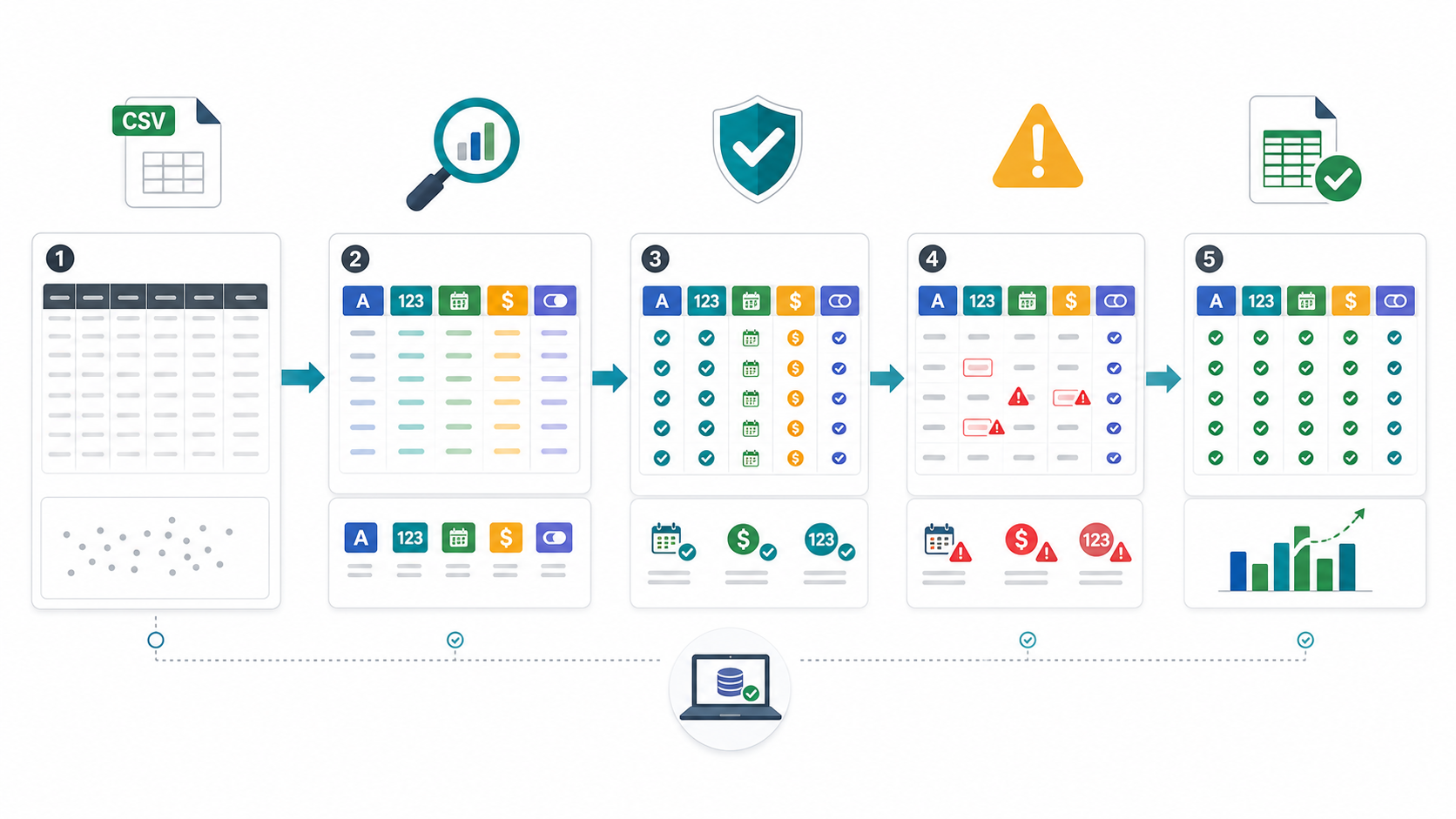
- Open the raw CSV in DataOlllo.
- Inspect the first rows and column list.
- Filter for blanks, strange values, and mixed formats.
- Group suspicious columns to see unexpected categories.
- Normalize date, currency, ID, and flag fields.
- Export a clean version for the dashboard or reporting pipeline.
Example Error Review Table
| Check | Example signal | Suggested fix |
|---|---|---|
| Date parsing | Some rows sort after future dates | Convert to one date format |
| Amount parsing | Numeric column contains $, commas, or text notes | Split amount and note fields |
| ID safety | 001245 becomes 1245 | Preserve as text before import |
| Category drift | Wholesale, wholesale, and Whole Sale | Map to one approved label |
| Null handling | Blank quantity fields become zero | Decide whether blank means unknown or zero |
Simple Readiness Chart
Dashboard import readiness

Raw CSV opened locally     ██████████
Column types reviewed      ████████░░
Date fields normalized     ███████░░░
Currency fields cleaned    ███████░░░
Clean export ready         █████████░
When to Run This Check
Run this audit before monthly reporting, dashboard rebuilds, vendor data imports, customer list cleanup, or any workflow where a clean-looking chart could hide a broken field type. The earlier the issue is found, the easier it is to fix without chasing errors through every downstream report.
DataOlllo does not replace your dashboard tool. It helps make the data safer to import.
Download DataOlllo
If CSV imports keep breaking because of messy column types, try the cleanup locally with DataOlllo: download DataOlllo.