Filtering Genomic Datasets with Thousands of Columns: A Practical Guide for Researchers
5/28/2026
The Problem
Life sciences researchers routinely work with datasets that have thousands of columns. A genomic variant dataset might track thousands of biomarkers across hundreds of thousands of patients. A clinical trial dataset might include baseline measurements, timepoints, and outcome variables -- each adding columns to the export.
The practical workflow is straightforward in concept: filter to patients with a specific biomarker profile, group by treatment arm, and calculate outcome statistics. In practice, trying to do this in Excel means the application freezes, crashes, or displays "Too many columns to display."
Cloud-based bioinformatics platforms exist, but they require uploading proprietary research data to external servers — something that conflicts with research grant requirements, institutional review board (IRB) protocols, and intellectual property protection.
Why This Happens
Life sciences datasets are characteristically wide, not just long. A UK Biobank phenotype export commonly has over 3,000 columns — one column per biomarker, measurement, or clinical variable. Excel's limit is 16,384 columns, and performance degrades rapidly long before reaching that ceiling.
Python and pandas can handle wide datasets, but require coding knowledge, environment setup, and package management. R handles wide data better but has a steep learning curve for non-programmers.
Cloud platforms solve the scale problem but create a data governance problem: your proprietary research data — potentially years of work — sits on a third-party server.
Step-by-Step Workflow
-
Export your research dataset from your LIMS, EHR, or sequencing platform. CSV and Excel formats are both supported.
-
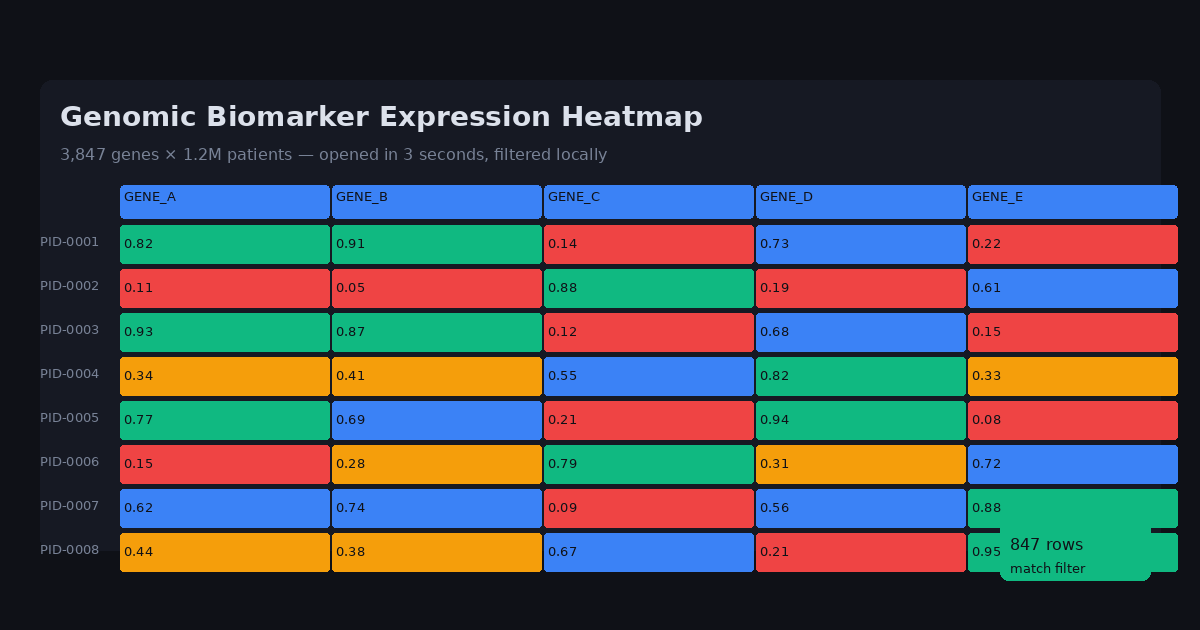
Open the file in DataOlllo. For wide datasets (1,000+ columns), DataOlllo loads and scrolls through columns instantly without freezing.
-
Filter to your target cohort using column filters: biomarker value greater than threshold, patient group equals specific arm, outcome variable meets criteria.
-
Group by relevant categories — use the aggregation panel to calculate mean, median, or count grouped by treatment arm, timepoint, or demographic variable.
-
Ask the AI in plain English: "Show average survival time by treatment group for patients with biomarker expression above 0.7"
-
Export filtered datasets for statistical software or visualization tools.
-
Use Directory Mode for recurring cohort analyses across study phases.
Automating This with Directory Mode
Clinical research often involves recurring cohort reports across study phases. Directory Mode handles this efficiently:
- Save Phase 1, Phase 2, and Phase 3 exports in separate folders
- Open each folder in DataOlllo Directory Mode
- Apply the same filtering criteria (e.g., specific biomarker thresholds)
- Compare results across phases without manual re-import
This is especially valuable for longitudinal studies where the same cohort definition is applied to each new data release.
Common Genomic Dataset Column Groups
| Column Group | Examples | Typical Format |
|---|---|---|
| Patient ID | Subject_ID, Patient_ID | String |
| Demographics | Age, Sex, Race, Ethnicity | Numeric/Categorical |
| Gene Expression | GENE_A, GENE_B, BRCA1 | Float (0-1 normalized) |
| Clinical | Stage, Grade, Response | Categorical |
| Outcomes | OS_Months, Event, Survival | Numeric/Binary |
DataOlllo's column browser handles 3,000+ columns without horizontal scrolling -- click any column header to jump directly to it.
When DataOlllo Is the Right Tool
Wide genomic and clinical datasets are a natural fit for DataOlllo's columnar processing model.
Relevant capabilities:
- Thousands of columns — scroll through 3,000+ column datasets without the performance issues that crash Excel
- Local processing — research data never leaves your institution's network
- AI-assisted filtering — ask cohort questions in plain English without writing pandas code
- No-code analysis — research staff without programming experience can perform complex filtering and grouping
Spreadsheets weren't designed for wide scientific data. DataOlllo's architecture handles column count independently of row count performance.
Get Started
Visit the Life Sciences solution page for more research data workflows.