How Finance Teams Review Refund and Chargeback CSVs Before Month-End Revenue Close
6/19/2026
How Finance Teams Review Refund and Chargeback CSVs Before Month-End Revenue Close
Month-end close gets harder when refunds and chargebacks sit in separate exports, use different status names, and arrive on different reporting cycles. Finance teams usually know the headline problem before they know the exact amount: gross sales look fine, but the net revenue story is still moving.
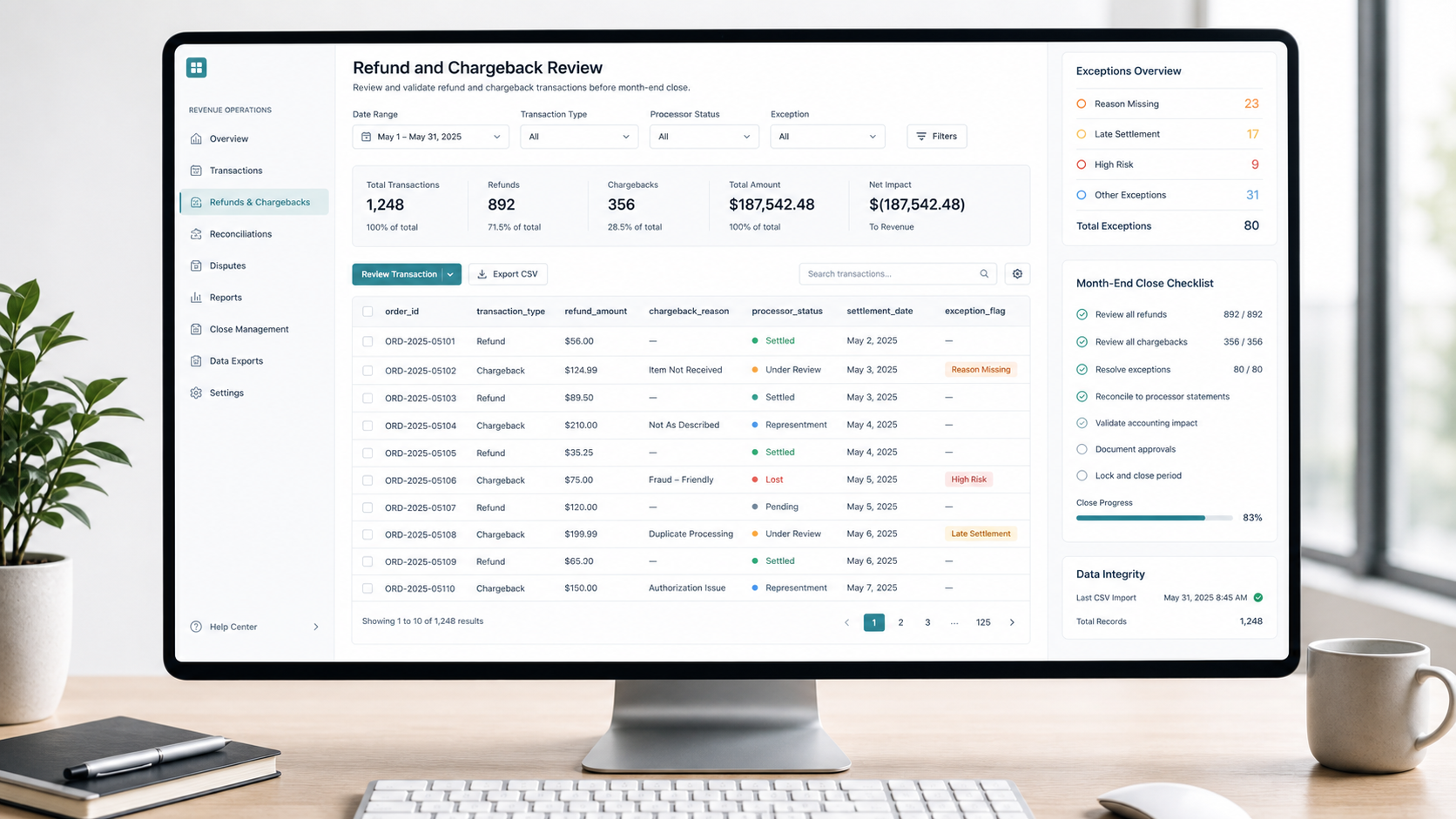
That is why refund and chargeback review works best as a local CSV workflow before the period is locked. Instead of rebuilding the picture inside several manual spreadsheets, teams can pull the raw exports together, normalize the fields, isolate exceptions, and hand accounting a cleaner close package.
What Usually Breaks the Review
| Review area | Typical issue | Closing risk |
|---|---|---|
| Refund exports | Refund date and settlement date are mixed together | Revenue is reduced in the wrong period |
| Chargeback files | Processor statuses use different wording | Open disputes are mistaken for final losses |
| Order IDs | Leading zeros or suffixes are trimmed | One order appears unmatched |
| Reason codes | Free-text notes are mixed with standard categories | Root-cause reporting becomes noisy |
| Amount fields | Fees, taxes, and gross refunds are combined | Net impact is overstated or understated |
The real problem is not file size. It is inconsistent structure.
A Local Review Sequence That Holds Up at Close
- Export refund transactions, chargeback events, and processor settlement files for the same cutoff period.
- Standardize the core join fields: order ID, processor reference, customer reference, and transaction date.
- Separate event date, accounting date, and settlement date so the team can answer three different questions clearly.
- Group records by final status to identify which items still need review before the period is locked.
- Filter for exceptions such as missing order IDs, duplicate references, and unresolved disputes.
- Export one review-ready dataset for accounting and one exception list for operations.
This workflow is useful because finance and operations do not need the same view. Accounting wants a close-ready summary. Operations wants the unresolved outliers.
Example Review Layout
| order_id | transaction_type | event_date | settlement_date | amount | processor_status | close treatment |
|---|---|---|---|---|---|---|
| ORD-22015 | Refund | 2026-06-28 | 2026-06-29 | 84.50 | Settled | Include in current period |
| ORD-22018 | Chargeback | 2026-06-29 | 2026-07-03 | 146.00 | Under review | Hold on dispute schedule |
| ORD-22044 | Refund | 2026-06-30 | 2026-06-30 | 19.99 | Settled | Include in current period |
| ORD-22057 | Chargeback | 2026-06-30 | 2026-07-02 | 210.00 | Lost | Book final revenue reduction |
| ORD-22061 | Refund | 2026-06-30 | 2026-07-05 | 52.00 | Pending | Review cutoff handling |
The Questions to Answer Before You Close
1. Which items are final?
Final settled refunds and closed chargebacks usually belong in the close package. Pending disputes and unresolved processor items usually need separate handling.
2. Which items are duplicated?
Duplicates often come from repeated processor exports, partial re-downloads, or a team combining daily and weekly files together. If duplicate control is weak, the close pack can overstate losses.
3. Which items belong to another period?
Event date and settlement date do not always fall in the same month. A clean review separates operational timing from accounting timing instead of forcing one date to answer every question.
Exception Checklist for Reviewers
| Exception type | What to check | Escalate to |
|---|---|---|
| Missing order reference | Can the refund or dispute be matched to a sale? | Operations or support |
| Duplicate processor ID | Was the same file or event loaded twice? | Finance analyst |
| Pending dispute older than expected | Is the processor status stale? | Payments operations |
| Negative fee or reversal mismatch | Does the processor export split the adjustment? | Accounting |
| Reason code drift | Are custom notes replacing the approved reason list? | Revenue operations |
Simple Close Readiness Chart
Month-end refund and chargeback review

Raw exports collected         ██████████
Fields normalized             ████████░░
Duplicates cleared            ███████░░░
Open disputes isolated        ████████░░
Close-ready export prepared   █████████░
Common Mistakes
- Treating every processor status as final when some are still in dispute.
- Using one date field for operational review and accounting treatment.
- Combining gross refund values with unrelated fee lines.
- Sending accounting a summary without the supporting exception list.
When This Workflow Helps Most
This review is especially useful for subscription teams, ecommerce operators, digital service providers, and finance teams that close on a tight schedule but still receive late processor files. It is also useful when revenue operations and accounting share responsibility for the same close package.
The goal is not to create more review steps. The goal is to reduce ambiguity before the period is locked.
Download DataOlllo
If refund and chargeback close reviews still depend on fragile manual spreadsheet work, try a local CSV workflow with DataOlllo: download DataOlllo.