How to Standardize Department CSV Exports Before Building an Executive KPI Pack
6/19/2026
How to Standardize Department CSV Exports Before Building an Executive KPI Pack
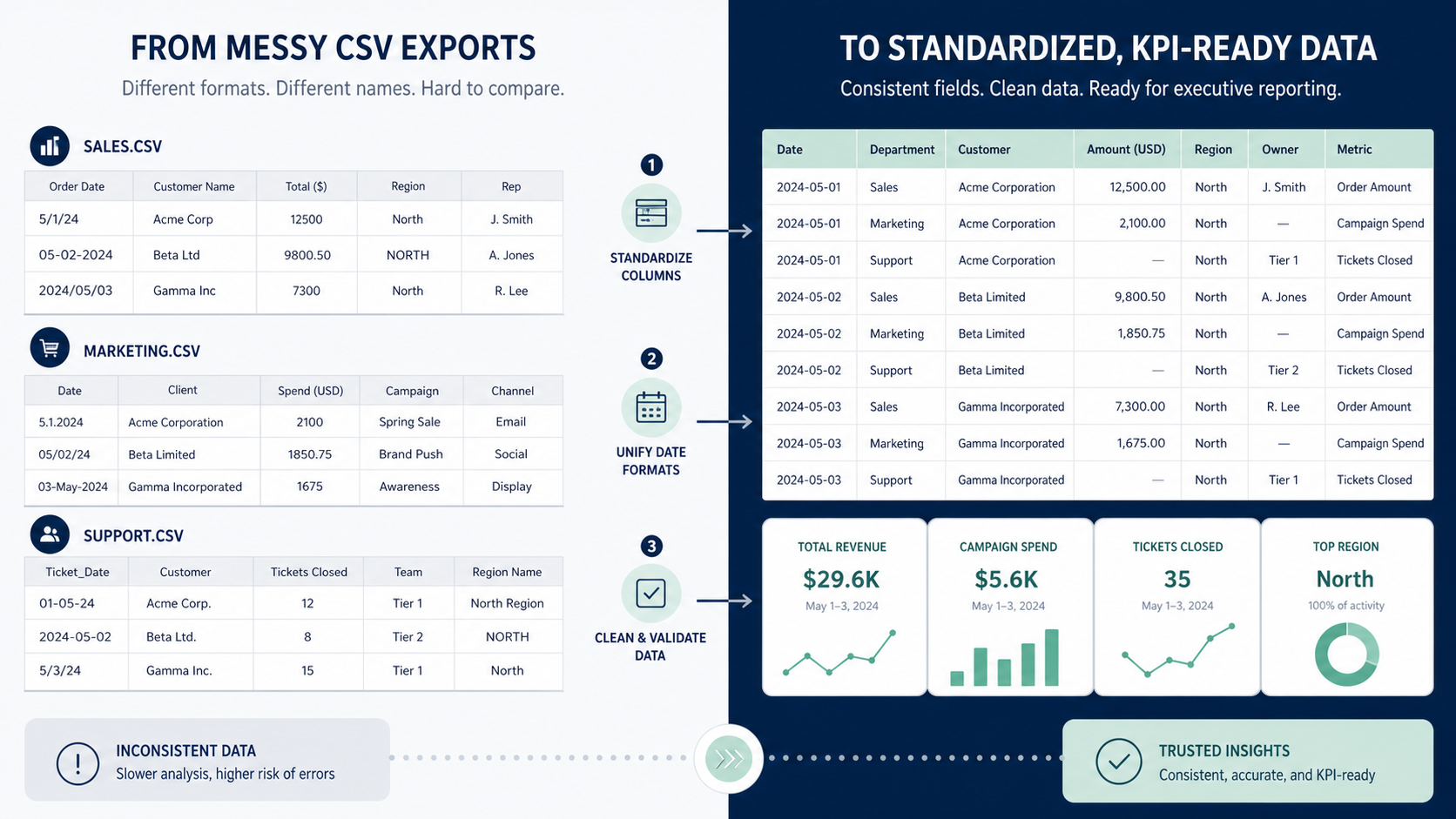
Executive KPI packs often look polished at the end and chaotic at the beginning. Sales exports one naming style, operations uses another, finance formats dates differently, and marketing includes fields that no one else recognizes. The report assembly problem usually starts long before charts are made. It starts with inconsistent CSV structure.
DataOlllo gives teams a local way to standardize those department exports before they are rolled into the KPI pack. The result is not just a cleaner file. It is a more defensible reporting process.
What Standardization Should Cover First
| Data element | Example mismatch | Why it matters |
|---|---|---|
| Date field | 2026/06/18 vs 18-06-2026 | Time grouping breaks |
| Department label | Ops, Operations, Operations Team | Totals split by name |
| Currency field | Text symbols mixed with raw numbers | Financial comparisons fail |
| Status label | Closed, Done, Resolved | Completion rates fragment |
| Entity ID | Leading zeros dropped in one file | Joins fail silently |
These are small issues individually. Together they make the KPI pack hard to trust.
A Step-by-Step Workflow
- Open the department CSV exports locally.
- Identify the fields that must match across sources: dates, department names, status labels, IDs, and numeric value columns.
- Choose one approved output label for each shared field.
- Standardize date, text, and numeric formats.
- Isolate columns that are useful only to one department so they do not clutter the combined file.
- Export one KPI-ready base table and one issue list for unresolved fields.
This keeps the executive pack grounded in a base table that is easier to audit later.
Example Before-and-After Field Map
| Raw field | Standardized field |
|---|---|
dept, team_name, business_unit | department |
close_dt, closed_on, date_closed | closed_date |
amt, value_usd, net_value | amount |
status, stage, resolution_state | status |
KPI Pack Preparation Table
| Department | Export rows | Standardization issue | Ready status |
|---|---|---|---|
| Sales | 12,400 | Date format mismatch | Review |
| Operations | 8,920 | Department label drift | Review |
| Finance | 3,180 | Currency symbols mixed in values | Review |
| Marketing | 6,540 | Ready | Ready |
Text Chart
KPI pack preparation

Field name alignment      ██████████
Date normalization        ████████░░
Numeric cleanup           ███████░░░
Status mapping            ██████░░░░
Department-only extras    ████░░░░░░
Common Mistakes
- Starting chart work before field names are standardized.
- Letting one department keep an exception naming scheme without documenting it.
- Treating leading-zero IDs as harmless formatting.
- Mixing department-only columns into the shared executive base table.
When This Workflow Fits
Use this workflow when several departments send CSV exports into one recurring KPI pack and the reporting team keeps spending time re-learning the same cleanup steps every month.
Quick Checklist
| Checklist item | Outcome |
|---|---|
| One approved name for each shared field | Cleaner joins |
| One date format across departments | Stable period comparisons |
| Numeric columns stored as numbers | Fewer reporting errors |
| Shared and department-only fields separated | Simpler KPI base table |
Download DataOlllo
If your KPI pack still starts with field-name cleanup every reporting cycle, try the local standardization workflow in DataOlllo: download DataOlllo.