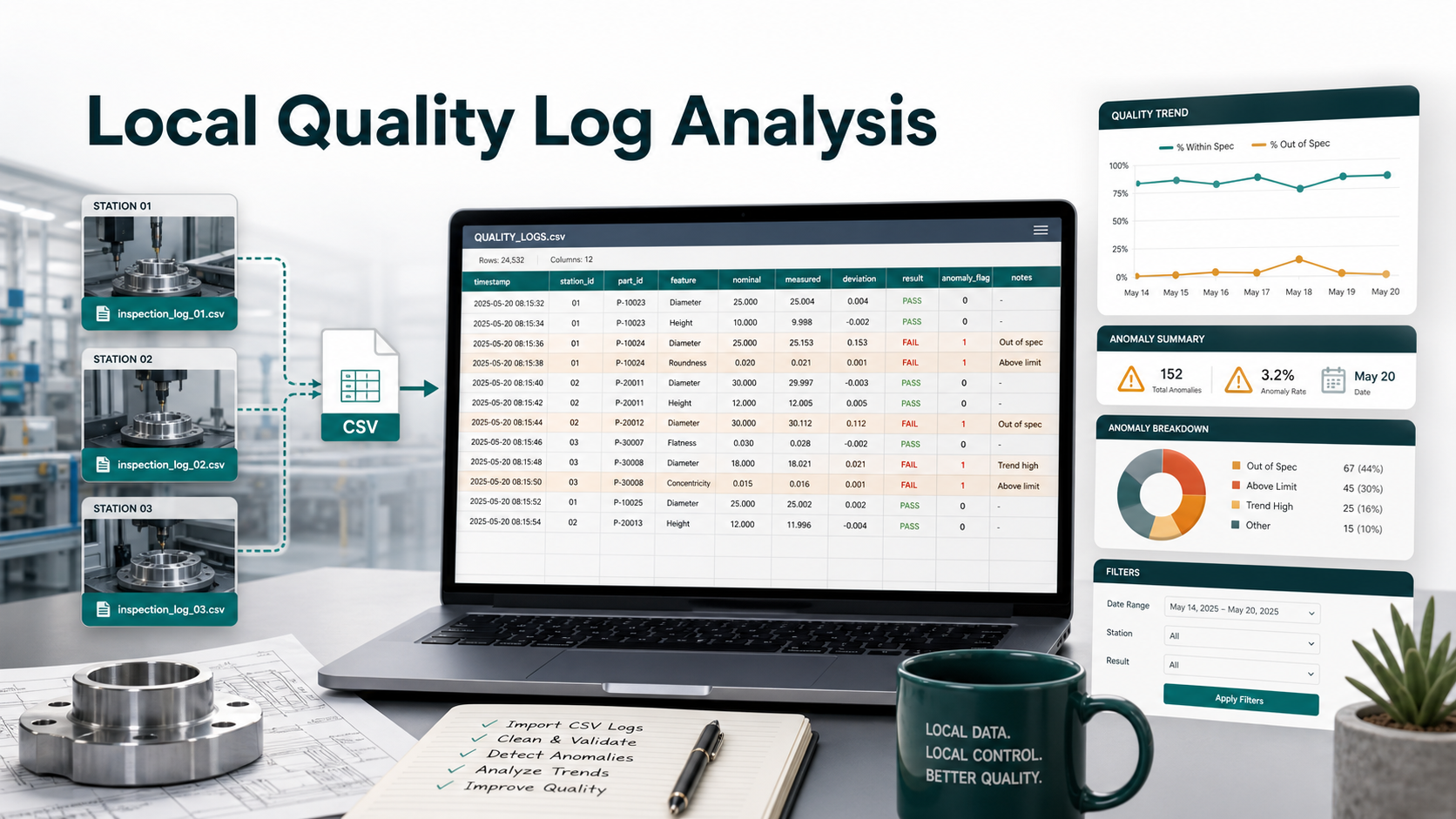
Manufacturing Quality Log Analysis: Clean Inspection CSVs Locally Before Weekly Review
6/16/2026
Why Quality Logs Become Difficult to Review
Manufacturing quality teams often receive inspection data from several stations: dimensional checks, visual inspection results, torque readings, machine sensor exports, and rework logs. Each station may export a CSV file with similar fields, but not always in the same order or with the same naming convention.
That creates a familiar weekly reporting problem. The quality manager needs a clear summary before the production review, but the raw data arrives as separate files with inconsistent station names, missing measurements, duplicate serial numbers, and mixed pass/fail labels.
Traditional spreadsheet workflows can handle a small sample, but they become fragile when the team needs to review hundreds of thousands of rows across multiple stations. Uploading inspection logs to a cloud tool may also be unsuitable when the files include supplier names, production volumes, internal defect codes, or customer-specific part numbers.
A Practical Quality Review Scenario
Imagine a plant that exports inspection logs from three production lines every day:
| Source file | Typical rows per week | Main cleanup issue | Reporting risk |
|---|---|---|---|
line_a_dimension_checks.csv | 310,000 | Different names for the same feature | False trend by feature |
line_b_visual_inspection.csv | 185,000 | Blank operator or station fields | Exceptions cannot be traced |
line_c_rework_log.csv | 92,000 | Duplicate serial numbers after rework | Defect rate may be overstated |
supplier_parts_sampling.csv | 48,000 | Mixed supplier code formats | Supplier comparison becomes unreliable |
The issue is not just file size. The issue is repeatability. If the same cleanup is done by hand every week, the report depends on the analyst remembering every filter, rename, and exception rule.
What to Check Before Building the Report
Before calculating defect rates or drawing conclusions, quality teams should run a short data-quality review. A simple checklist can prevent misleading trends:
| Check | Example rule | Why it matters |
|---|---|---|
| Missing part ID | part_id is blank | Defects cannot be tied to a product |
| Duplicate serial number | Same serial_number appears more than once | Rework rows may inflate totals |
| Mixed result labels | PASS, Pass, OK, Fail, NG | Pass/fail rates become inconsistent |
| Out-of-range measurement | Value is outside expected tolerance band | Potential machine or sensor issue |
| Missing station | station_id is blank | The team cannot assign follow-up action |
These checks are simple, but they are where many quality dashboards fail. A clean chart built on inconsistent logs gives the team confidence in the wrong number.
Local Workflow in DataOlllo
DataOlllo gives non-technical quality teams a local workflow for inspecting and cleaning large CSV files before the weekly review.
- Collect the station exports in one local folder. Keep raw inspection logs on the approved workstation or internal file share.
- Open the files in DataOlllo. For repeated reporting, use Directory Mode so multiple station exports can be reviewed together.
- Normalize column names. Align fields such as
station,station_id, andinspection_stationinto a consistent structure. - Standardize result values. Convert labels like
OK,Pass, andPASSinto one reporting value. - Filter exceptions. Isolate rows with missing part IDs, duplicate serial numbers, out-of-range measurements, or blank station fields.
- Create summary tables and charts. Review defect counts by station, feature, part family, and production date.
- Export a cleaned review dataset. Save the cleaned file for weekly quality meetings, supplier follow-up, or internal analysis.
Example Weekly Exception Summary
After cleanup, the review table might look like this:
| Issue type | Records found | Owner | Suggested action |
|---|---|---|---|
| Missing station ID | 1,284 | Production systems | Fix station export mapping |
| Duplicate serial number | 436 | Quality engineering | Separate rework records from first-pass checks |
| Mixed result labels | 3,912 | Data/reporting owner | Standardize pass/fail labels |
| Out-of-range measurement | 227 | Line supervisor | Review tool calibration and recent setup changes |
| Missing part ID | 98 | Receiving inspection | Validate supplier file format |
This gives the quality team a concrete operating view. Instead of debating whether the dashboard is correct, they can see which data problems need process fixes.
Simple Text Chart for Review Priority
| Cleanup issue | Relative volume |
|---|---|
| Mixed result labels | ████████████████ |
| Missing station ID | █████ |
| Duplicate serial number | ██ |
| Out-of-range measurement | █ |
| Missing part ID | █ |
The largest issue may not be the most severe quality risk, but it is often the best place to improve the reporting process. Reducing label inconsistency can make every later trend chart more trustworthy.
When This Workflow Helps Most
This local workflow is a good fit when:
- quality logs are too large or too repetitive for manual spreadsheet cleanup
- inspection files include sensitive customer, supplier, or production details
- multiple stations export similar files with slightly different columns
- weekly reporting requires the same cleaning steps every time
- the team wants practical analysis without writing scripts
The value is not only speed. It is consistency. A repeated cleanup workflow helps every weekly review start from the same rules.
Why Local Processing Matters
Manufacturing data can reveal production volume, supplier relationships, part specifications, defect patterns, and customer-specific work. Even when the data is not legally regulated, many teams prefer to keep those files inside their own environment.
DataOlllo supports that style of work: open the CSV locally, clean it locally, summarize it locally, and export the cleaned result when the team is ready.
Next Step
If your quality review starts with several inspection CSVs and a long manual cleanup routine, try the same workflow in DataOlllo. Start with one week of logs, normalize the key columns, filter the exceptions, and export a clean review table for the next production meeting.
Download DataOlllo at www.dataolllo.com/download.