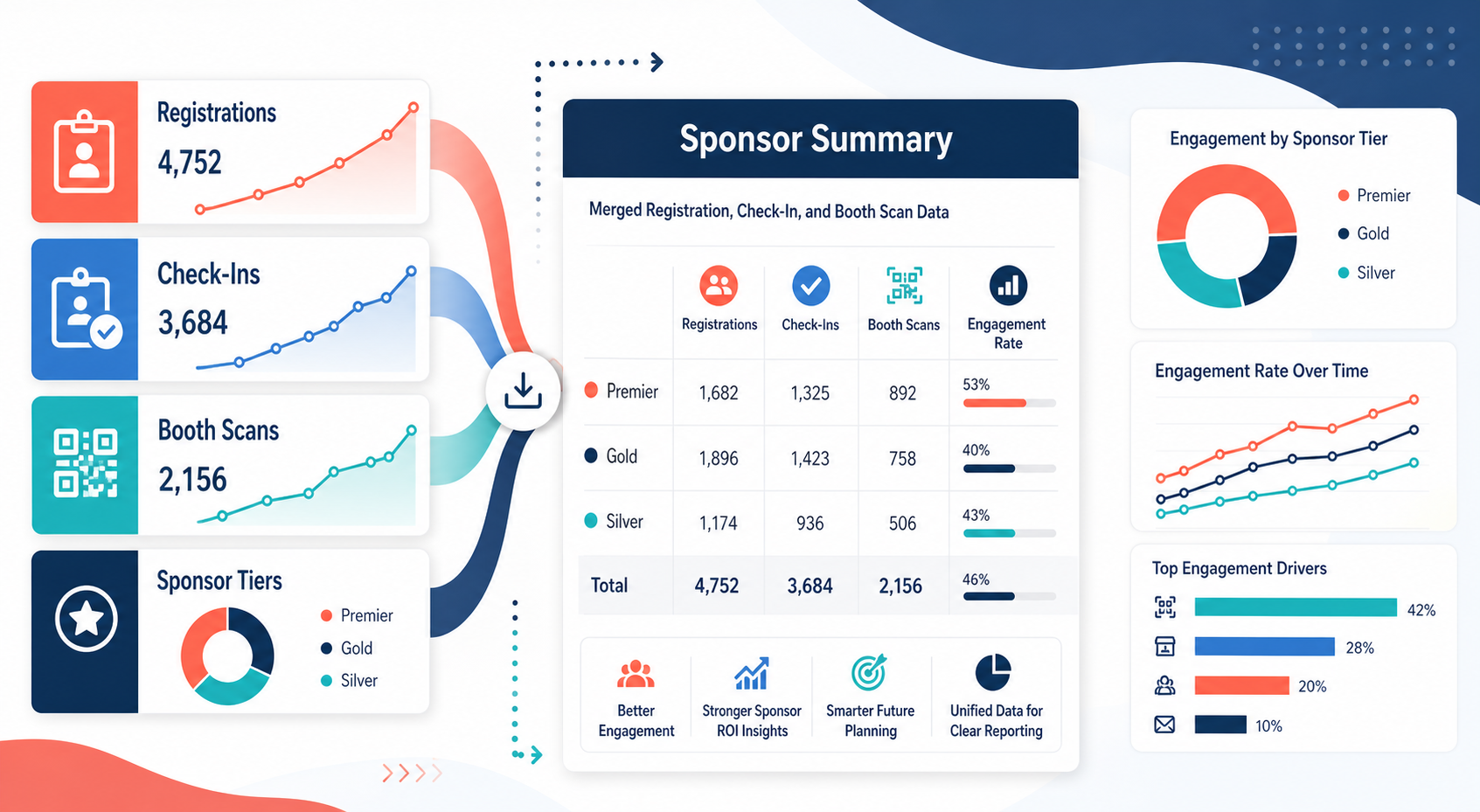
Merge Event Registration and Attendance CSV Exports Before Sponsor ROI Reporting
6/20/2026
Merge Event Registration and Attendance CSV Exports Before Sponsor ROI Reporting
Event reporting gets complicated fast when registration counts, actual attendance, booth scans, and sponsor package details all come from different systems. The final report may look polished, but if the underlying exports are not aligned, the sponsor conversation ends up focused on data disputes instead of outcomes.
DataOlllo gives event and marketing operations teams a local way to merge those CSV exports and build a sponsor-ready reporting file with fewer last-minute fixes.
Why Sponsor Reporting Becomes Fragile
| Export | Common issue | Reporting risk |
|---|---|---|
| Registration file | Duplicate attendees remain after list updates | Registrations are overstated |
| Check-in or attendance file | Badge IDs do not match marketing IDs cleanly | Attendance rates look inconsistent |
| Booth scan file | Sponsor names or package tiers vary | Sponsor-level summaries split incorrectly |
| Campaign or package tracker | Deliverables are tracked outside the event platform | Final ROI story lacks context |
The problem is not just row count. It is whether the report can support the follow-up conversation with sponsors and internal stakeholders.
A Cleaner Reporting Workflow
- Open registration, attendance, booth scan, and sponsor package exports locally.
- Standardize fields such as
attendee_id,email_domain,company,ticket_type,check_in_status,sponsor_name,scan_count, andpackage_tier. - Remove duplicate attendee rows and isolate internal staff or test registrations.
- Match attendance and booth-scan activity back to the sponsor list.
- Summarize sponsor engagement by tier, attendee type, and scan activity.
- Export one sponsor-summary file and one exception file for unmatched scans or IDs.
This produces a reporting base that is easier to defend and reuse.
Example Sponsor Summary Table
| Sponsor | Package tier | Registered target accounts | Checked-in attendees | Booth scans | Suggested takeaway |
|---|---|---|---|---|---|
| NorthPeak Systems | Gold | 84 | 49 | 112 | Strong floor engagement |
| Harbor Analytics | Silver | 57 | 31 | 44 | Good attendance, moderate booth activity |
| Axis Supply Network | Gold | 61 | 28 | 29 | Follow up on on-site visibility |
| Summit Ops Cloud | Bronze | 36 | 18 | 21 | Efficient niche engagement |
A Useful Reconciliation Table
| Exception type | What to check |
|---|---|
| Booth scan with no sponsor match | Sponsor naming drift or upload issue |
| Attendee checked in but not in registration base | Late registration import or manual badge issue |
| Sponsor tier missing | Package tracker not merged cleanly |
| Very high registrations with low check-in | Invitation conversion issue, not necessarily sponsor issue |
Text Chart: Reporting Focus
Sponsor report attention

Registration cleanup       ████████░░
Attendance matching        █████████░
Booth scan reconciliation  ███████░░░
Tier/package alignment     ██████░░░░
Ready-to-report sponsors   ████░░░░░░
Common Mistakes
- Reporting raw registrations without deduplicating updated attendee lists.
- Measuring sponsor value only by booth scans, with no attendance context.
- Leaving internal staff and test accounts in the working file.
- Using sponsor names exactly as exported when package trackers use different labels.
When to Use This Workflow
This approach helps when one event produces several CSV exports, when sponsors are promised post-event reporting, or when the team wants a repeatable reporting pack for future events. A local working file keeps the reconciliation step under your control before the summary is sent out.
Next Step
If sponsor reports still require manual stitching across registration, attendance, and scan exports, start with one local merged file and then summarize from there. You can download DataOlllo here: https://www.dataolllo.com/download