Split a Giant CSV by Region or Keep One Master File? A Practical Guide for Monthly Operating Packs
6/23/2026
Teams preparing monthly operating packs often face the same question: should one giant export stay intact, or should it be split into smaller regional files before review? There is no universal answer. The right choice depends on who consumes the report, how often the file refreshes, and how much local variation exists in the operating process.
The mistake is treating this as a tooling preference. It is really a workflow design choice.
The short comparison
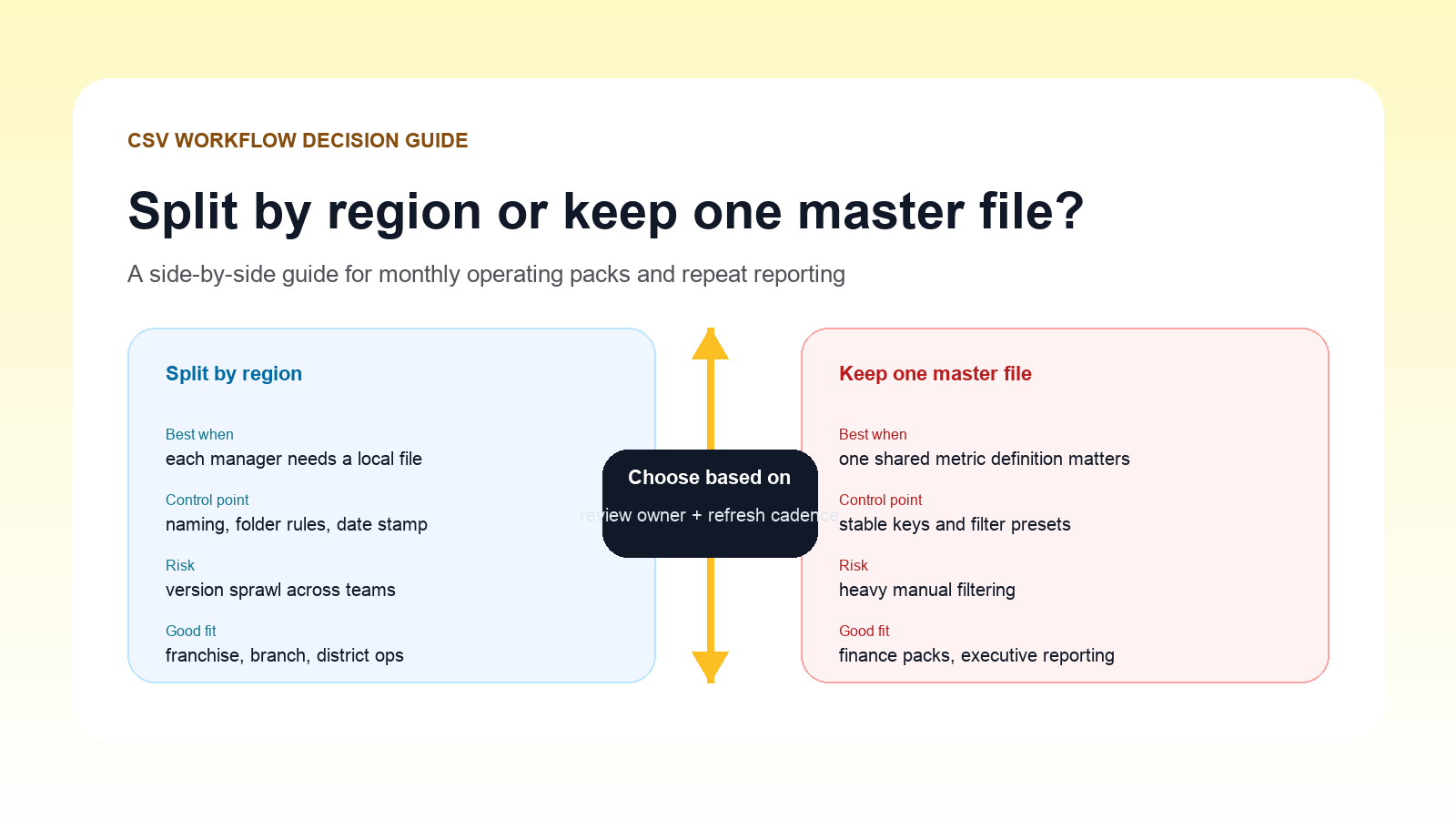
| Decision factor | Split by region | Keep one master file |
|---|---|---|
| Best for | Branch or district managers who only need local data | Finance or leadership teams that need one shared metric definition |
| Main benefit | Smaller files, simpler handoff to local owners | One source of truth for totals and trend checks |
| Main risk | Version sprawl and inconsistent refresh timing | Heavy manual filtering and harder user navigation |
| Strong use case | Franchise, field ops, territory reviews | Executive packs, close support, central planning |
When splitting the file is the better choice
Split the export when each manager owns a discrete operating segment and does not need to inspect every other region. This works well when:
- Local managers review only their own branch or district.
- Files are distributed on a fixed cadence.
- Naming rules and folder structure are tightly controlled.
- Regional exceptions need local action before central reporting.
In that model, the data prep team should apply the split consistently and publish a clear naming convention such as region-month-metric-group.
When keeping one master file is the better choice
Keep one master file when the review depends on shared definitions and cross-region comparison. This is stronger when:
- Leadership needs one reconciled total.
- Users compare regions side by side every month.
- Exception logic must stay identical across the whole company.
- The file refreshes several times before the final reporting cut.
A master-file workflow reduces version sprawl, but only if the keys, filters, and status labels are standardized before the review begins.
A useful hybrid pattern
Many teams do best with a hybrid model:
- Keep one master working file for central QA and metric validation.
- Generate regional subsets only after the main dataset passes checks.
- Distribute the subsets for local follow-up, not for redefining metrics.
That approach protects the shared total while still giving local operators a lighter file to work from.
Questions to ask before choosing
| Question | If the answer is yes | Lean toward |
|---|---|---|
| Do local managers only review their own territory? | Local focus matters more than cross-region comparison | Split |
| Do totals need to reconcile exactly across every view? | Shared metric logic is critical | Master file |
| Are naming and version controls weak today? | File sprawl is likely | Master file first |
| Do local teams need offline copies for quick action? | Smaller handoff packages help | Split after QA |
Common failure modes
Splitting too early
If the file is split before data quality checks are complete, the team ends up distributing several versions of the truth instead of one verified view.
Keeping one huge file without stable filters
A master dataset helps only when the keys and review states are consistent. Otherwise, users spend their time rebuilding filters and arguing about row definitions.
Letting local edits redefine central metrics
Regional review is useful for action, but the central pack should still come from one validated dataset.
Simple decision checklist
- Define the primary review owner.
- Decide whether shared totals or local action is the first priority.
- Validate the master dataset before creating subsets.
- Use consistent naming if split files are distributed.
- Preserve one authoritative copy for final monthly reporting.
Next step
If your team keeps revisiting the same split-versus-master decision every month, move the choice into a defined operating workflow. DataOlllo can help you clean the main dataset, generate structured subsets when needed, and inspect large CSV files locally without relying on brittle manual spreadsheet steps. Download it here: https://www.dataolllo.com/download