Getting Started with DataOlllo AI
Register your API, set up the assistant, and start getting insights with no code.
Download DataOlllo AI
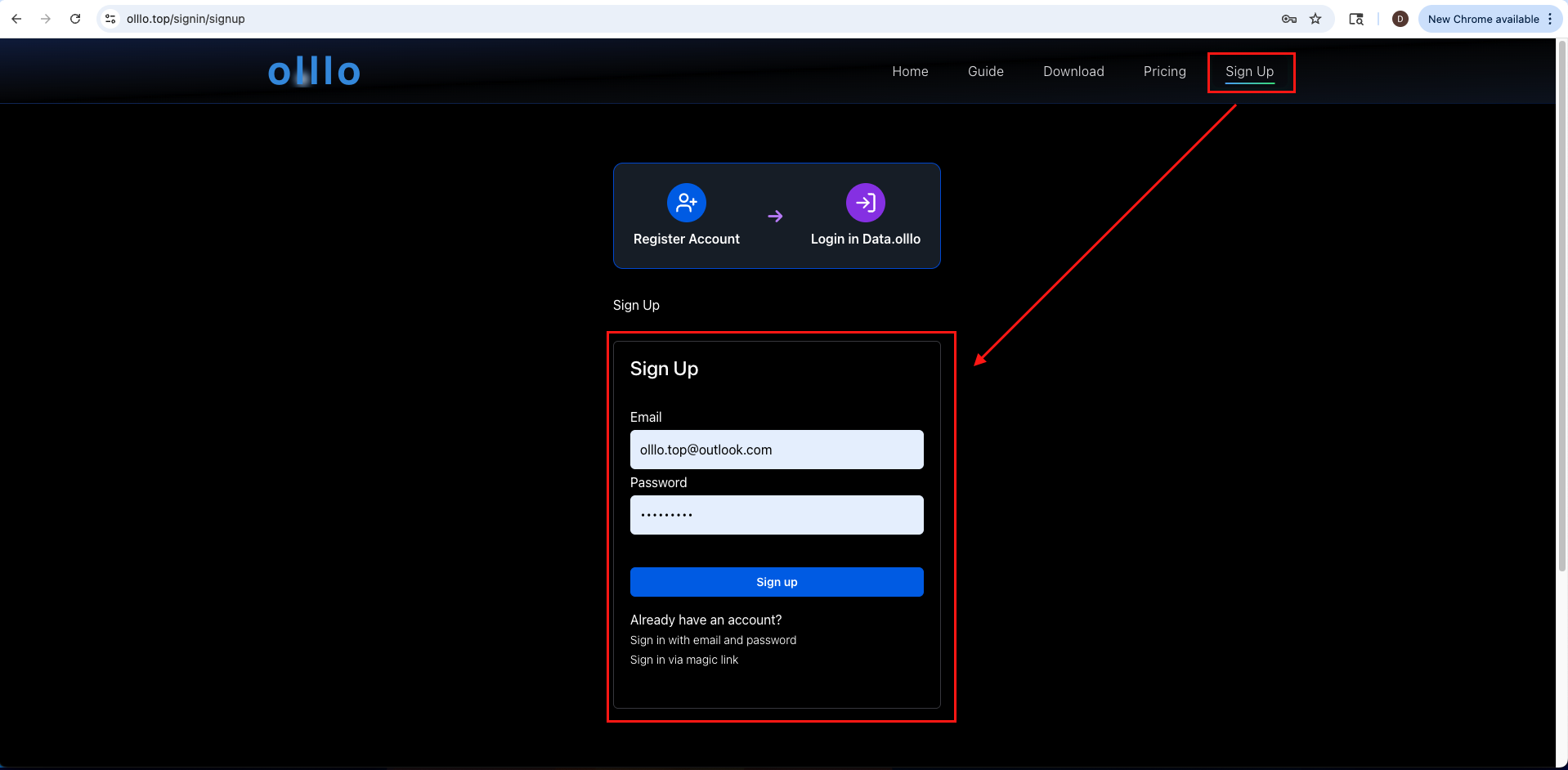
Go to https://www.dataolllo.com/DataOlllo and download the latest version of DataOlllo AI for your operating system. And Sign up for a free account if you haven't already.
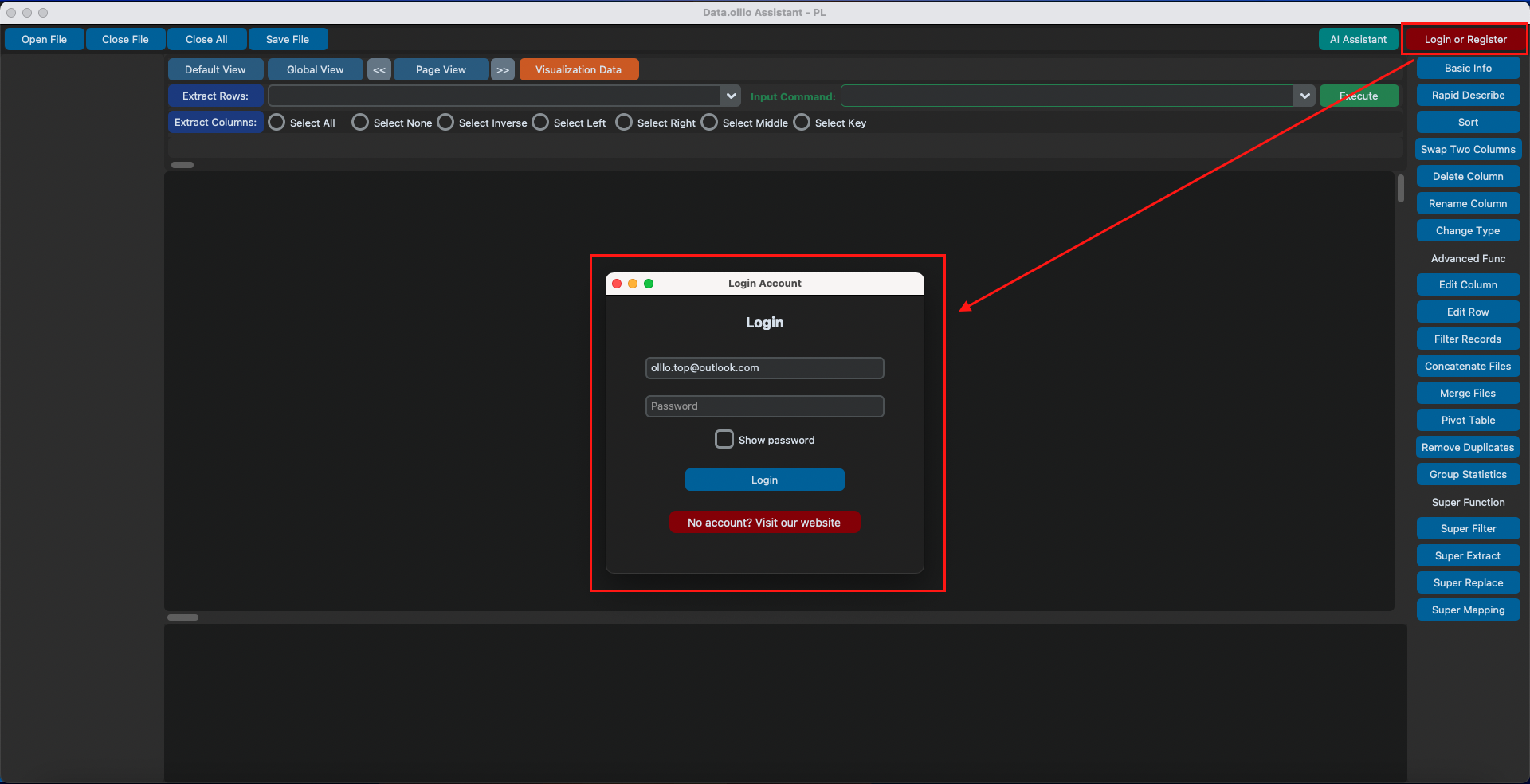
Login to DataOlllo AI
Open the app and log in with your dataolllo.com account credentials.
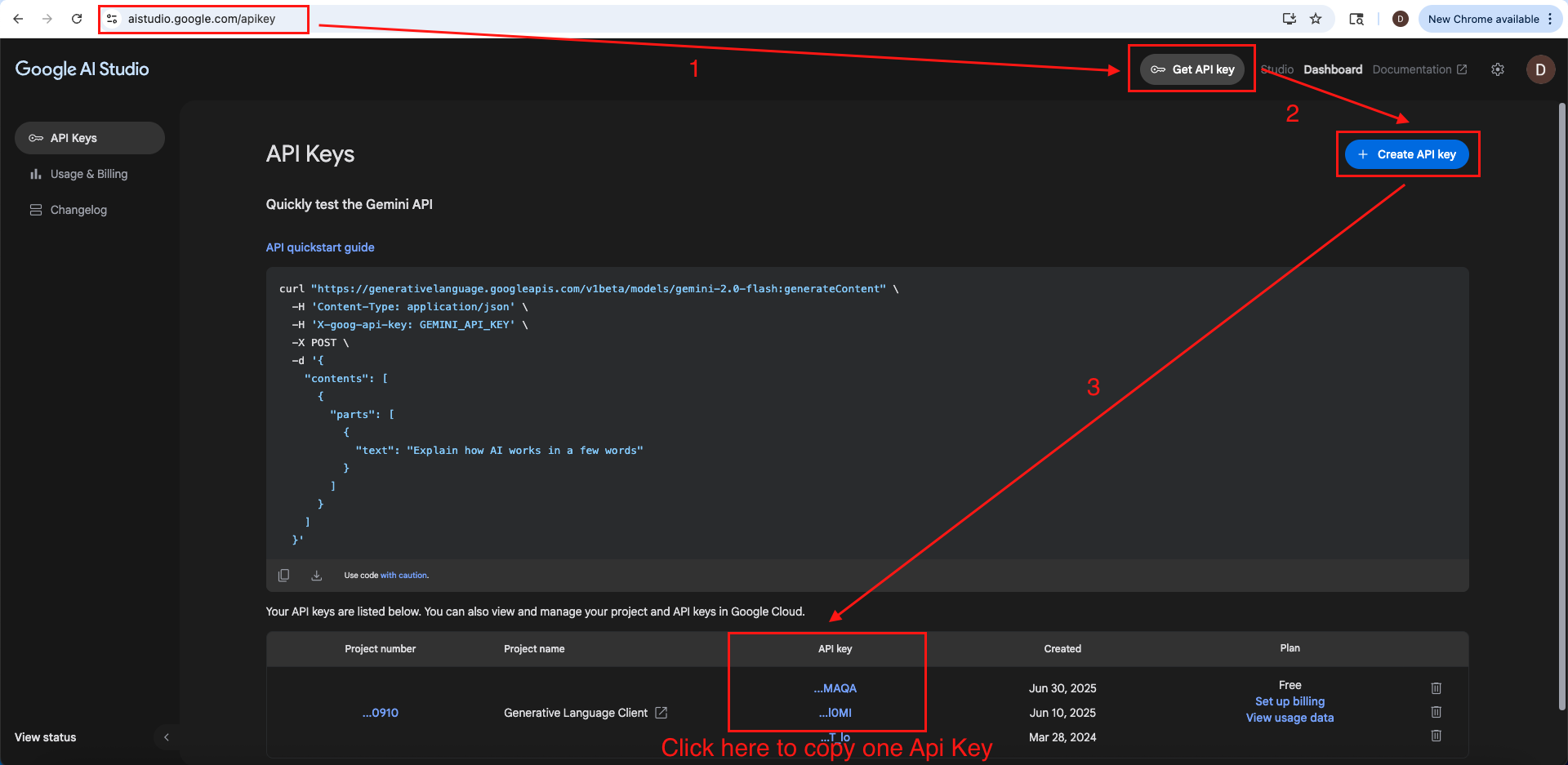
Get a Free API Key (Gemini Example)
Visit https://aistudio.google.com/apikey and create a free Gemini API key. You can also use other models like ChatGPT, Grok, or Claude.
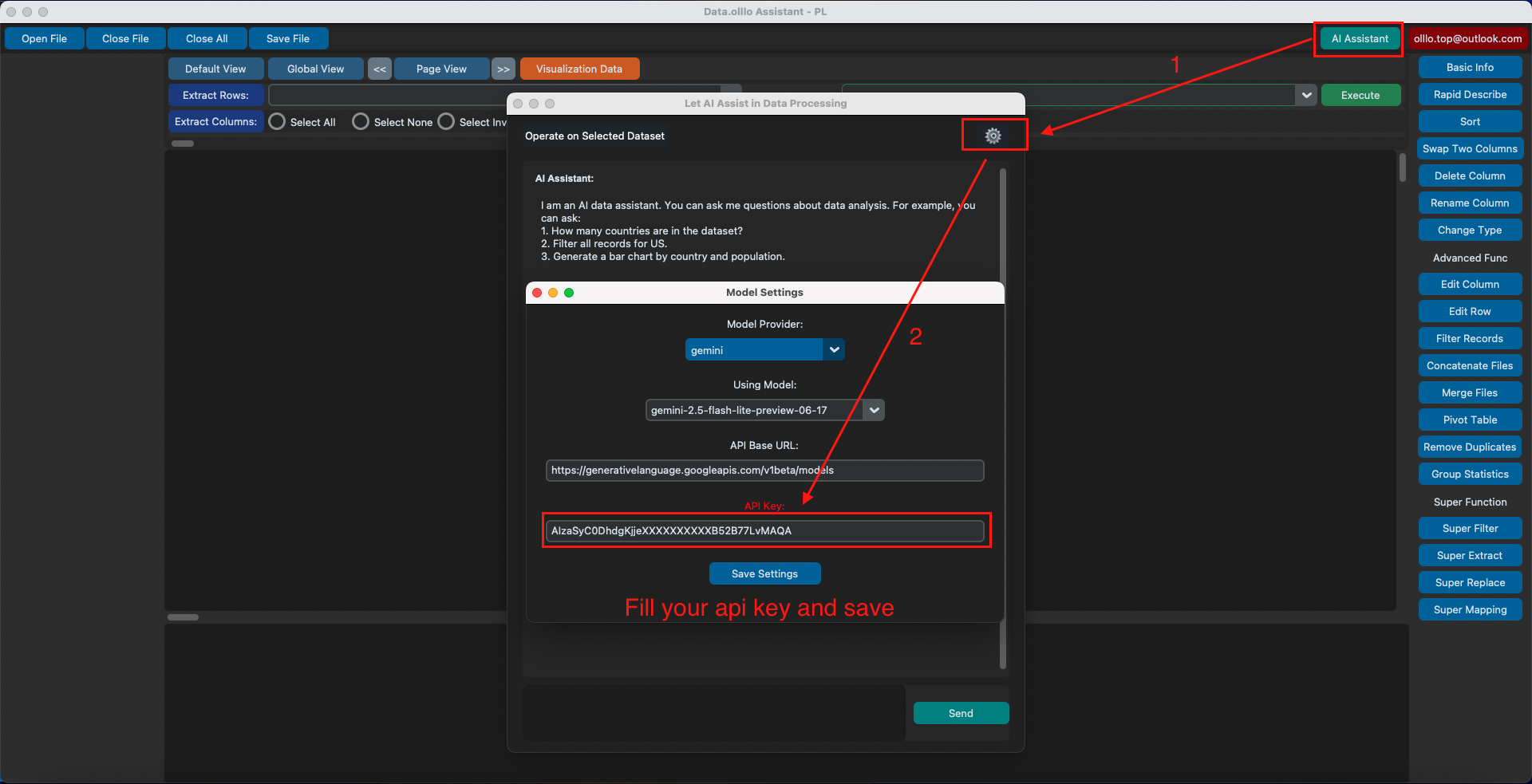
Paste API Key into DataOlllo AI Settings
Open the app and paste your key into the Settings popup window under the 'AI' tab. Choose your model: Gemini, Local, or another.
Start Chatting with Your Data
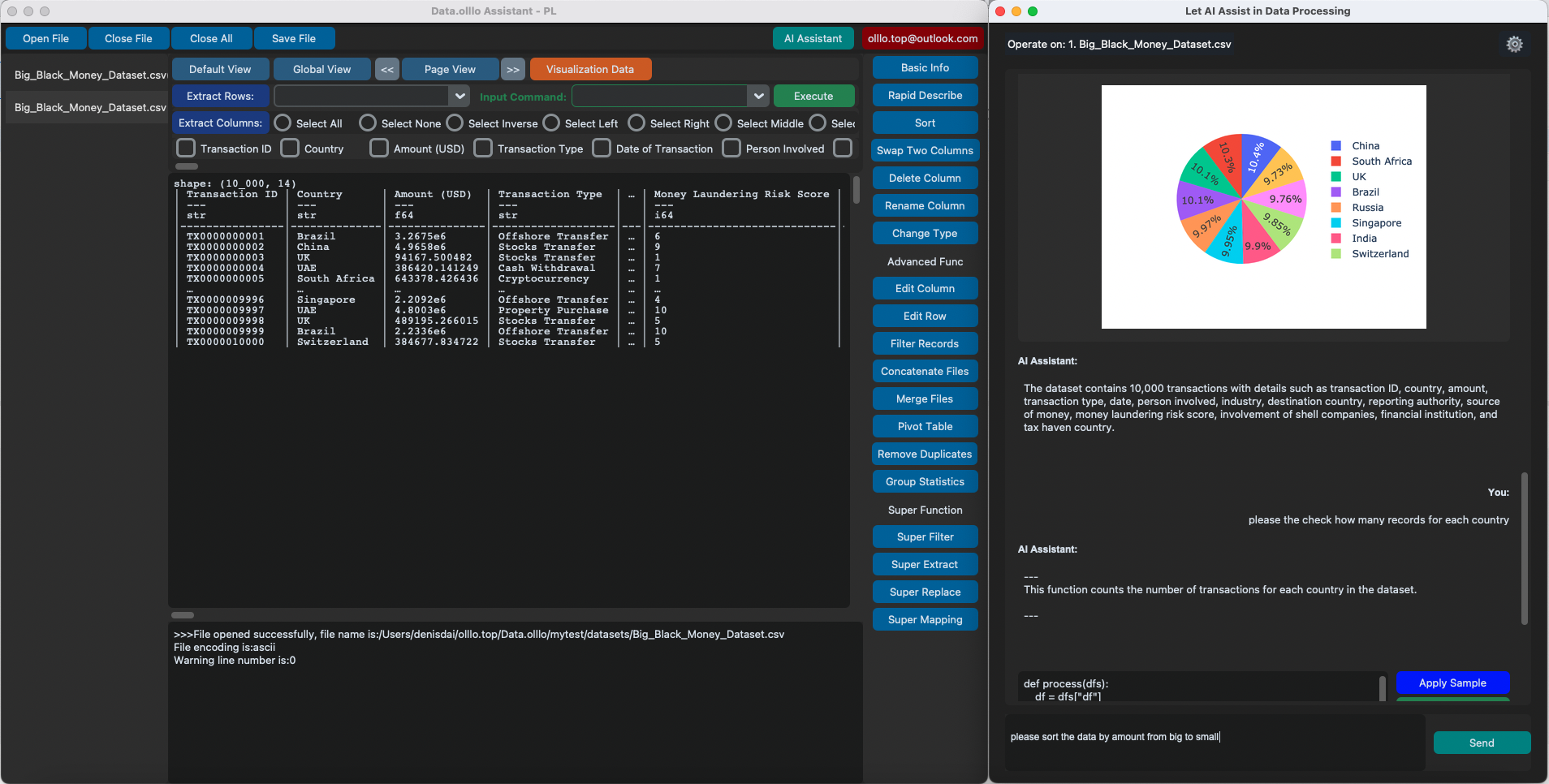
Click the AI chat icon in the sidebar. Ask any question and get insights, charts, or cleanups instantly—no code required.
Ready to unlock your potential?
Take the first step toward smarter data—empower yourself with AI and discover new possibilities.